Assigned seating
means each attendee is given a specific seat, row, or table before the event. It’s commonly used in concerts, theaters, conferences, and formal events where seat position affects the experience. Modern systems use interactive seating charts, seat locking during checkout, and QR-based ticket validation to prevent double booking, reduce disputes, and keep entry flow organized. With tools like
Ticket Generator
, organizers can create events, enable seat selection, generate seat-linked tickets, and validate entry using QR Codes.
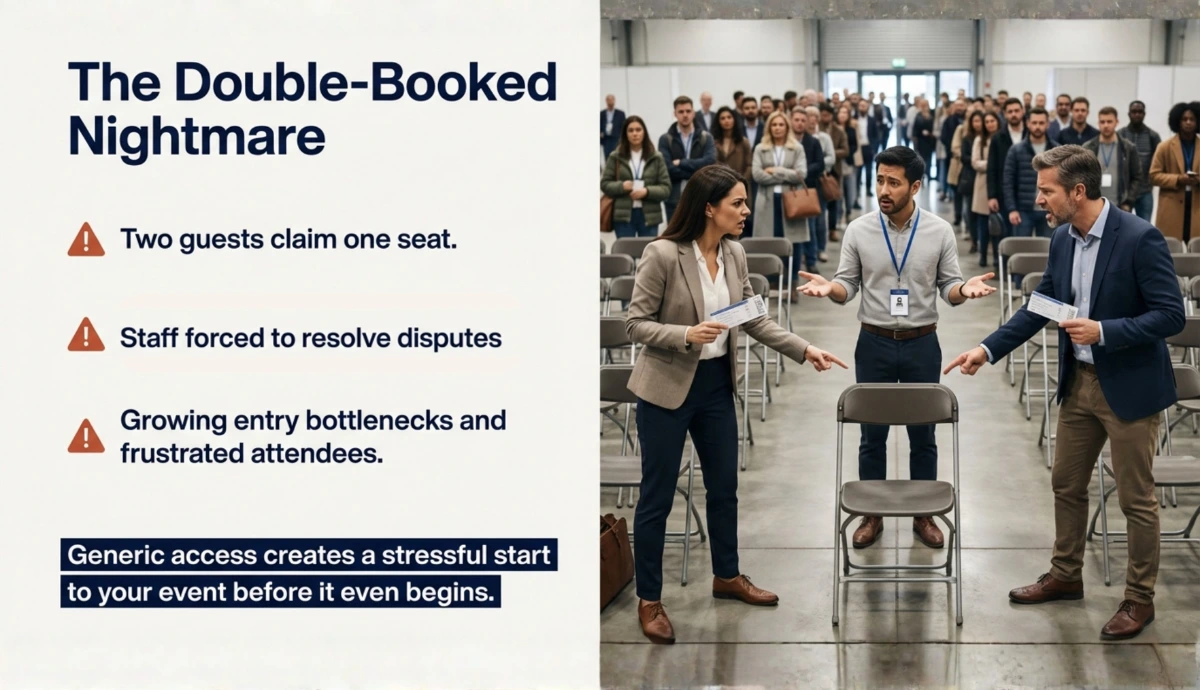
I’ve seen this happen at many events. Two guests arrive, and both want the same seat. One says they got there first. The other insists they were about to take it.
Now the staff has to step in at the entrance while the line behind them keeps growing.
This is a common problem with first-come, first-served seating, where seats are open, but guests still compete for the same spots.
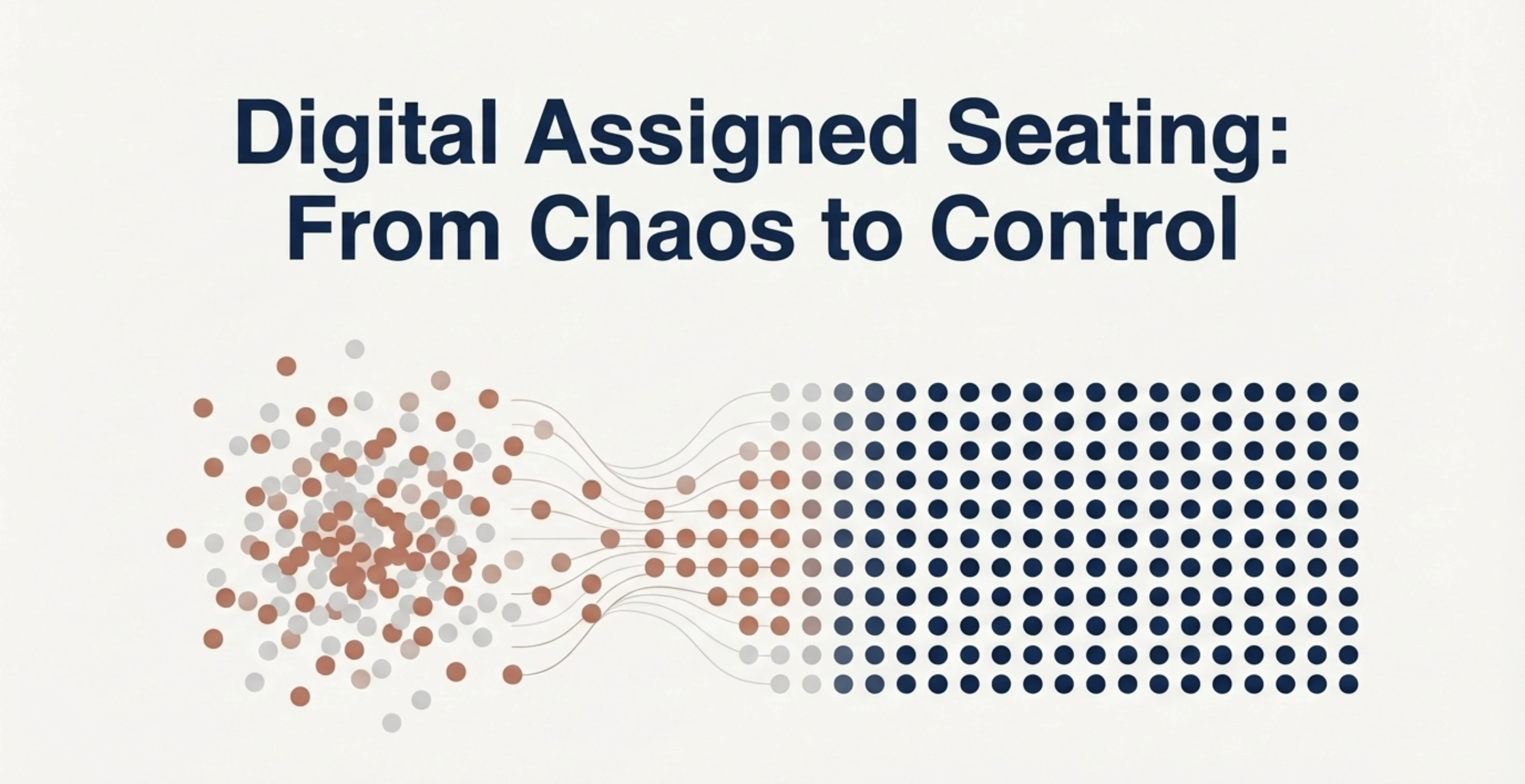
Assigned seating solves this problem by linking every ticket to a specific seat. So, instead of arriving early to grab a spot, attendees already know exactly where they will sit.
For event organizers, that small change makes a big difference. Seating becomes predictable. Entry becomes faster. And premium seats can be priced more strategically.
In this guide, I’ll explain:
What assigned seating actually means
How it works at events
When it’s the right choice over general admission
And how to set up assigned seating using modern ticketing systems
Let’s start with the basics.
A. What does assigned seating mean?
Assigned seating means every ticket is tied to a specific seat location. That seat could be a row and number, a table and chair, or a section and position.
Instead of arriving early to grab a spot, attendees already know exactly where they will sit.
For example, a ticket might show:
Section: A | Row: 3 | Seat: 12
When the attendee arrives, they go straight to that seat. No rushing. No confusion.
In modern event systems, assigned seating usually works through a visual seating map.
Guests can see the venue layout, pick their preferred seat, and complete the purchase. Once the payment is successful, that seat becomes unavailable to others. (There’s a smart seat locking system at work here; we’ll talk about this later in the article)
The seat information is then embedded into the ticket itself. If you're using digital tickets, the seat number is included inside the QR Code ticket used for entry validation.
From an organizer’s POV, assigned seating does three important things:
1. It removes seat uncertainty: Guests know exactly what they are paying for. A front-row seat is clearly different from a back-row seat.
2. It prevents duplicate seating claims: Each ticket corresponds to one seat. That seat cannot be sold twice.
3. It allows strategic pricing: Front rows, aisle seats, VIP sections, and balcony seats can all be priced differently.
The Event Safety Alliance found that uncontrolled entry ( which is common at general admission events) is one of the top causes of crowd incidents. Assigned seating keeps entry orderly and reduces that risk.
Basically, what happens is that reserved seating turns your venue into a structured seat inventory instead of just selling generic access.
And when seat selection is connected to modern ticketing tools that offer QR Code-based event tickets, entry validation becomes much easier.
In simple terms:Assigned seating means every ticket is linked to a specific seat in the venue. When attendees buy a ticket, they either select or are given a seat number, row, or section. That seat is then reserved for them, so they know exactly where they will sit when they arrive. It’s commonly used in concerts, theaters, conferences, and formal events where seat location affects the experience.
B. What is the difference between assigned seating and general admission?
One of the most common questions I hear from organizers is: “Should I use assigned seating or general admission?”
The answer depends on the type of event you are running.
General admission works when seating does not matter. But when seat position affects the experience, assigned seating definitely works better.
Here’s the quick breakdown of how they differ:
Feature
Assigned Seating
General Admission
Seat allocation
Guests receive a specific seat
Guests choose any available seat when they arrive
Purchase experience
Guests select seats during booking
Guests buy access only
Entry flow
Guests go directly to their seats
Guests rush to claim seats
Pricing flexibility
Seats can be priced by location
All tickets usually cost the same
Seat disputes
Rare, because seats are predefined
More common
Best for
Concerts, theaters, conferences, award ceremonies, university events, performances, corporate presentations
Festivals, open-floor events, standing concerts, networking events, open exhibitions
The best part (for organizers) is that it integrates well with modern ticketing workflows. That means seat selection connects directly to ticket creation.
For example, once seats are confirmed, organizers can generate seat-linked tickets and send them directly to the attendees using an e-ticket generator.
And if those tickets include barcodes or QR Codes, they can be validated instantly at entry.
This combination: seat assignment + digital validation is what allows large events to run smoothly without manual seat management.
C. How does assigned seating work at events?
Behind the scenes, assigned seating works like seat inventory management.
Every seat inside the venue becomes a bookable unit, just like a hotel room or an airplane seat.
1. The venue layout is mapped
First, the organizer uploads or creates the venue layout. This usually includes:
sections
rows
tables
balconies
VIP zones
The layout becomes a visual seating map that represents the real venue.
Once the interactive seating chart layout is created, every seat inside the map has a status. Either they’re available for purchase or already sold (including held seats).
This is what turns the layout into live seating inventory.
2. Guests select their seats while buying tickets
When attendees visit the event page, they can see the seat map.
Instead of choosing a generic ticket type, they choose an exact seat location.
For example:
Section A → Row 4 → Seat 18
VIP Table → Seat 2
The system shows which seats are still available. This removes uncertainty for buyers. They know exactly where they’ll be sitting.
3. Seats are temporarily locked during checkout
Once someone selects a seat and proceeds to payment, the system locks that seat temporarily.
This prevents another buyer from selecting the same seat during the payment process.
Without seat locking, two people could try to buy the same seat at the same time.
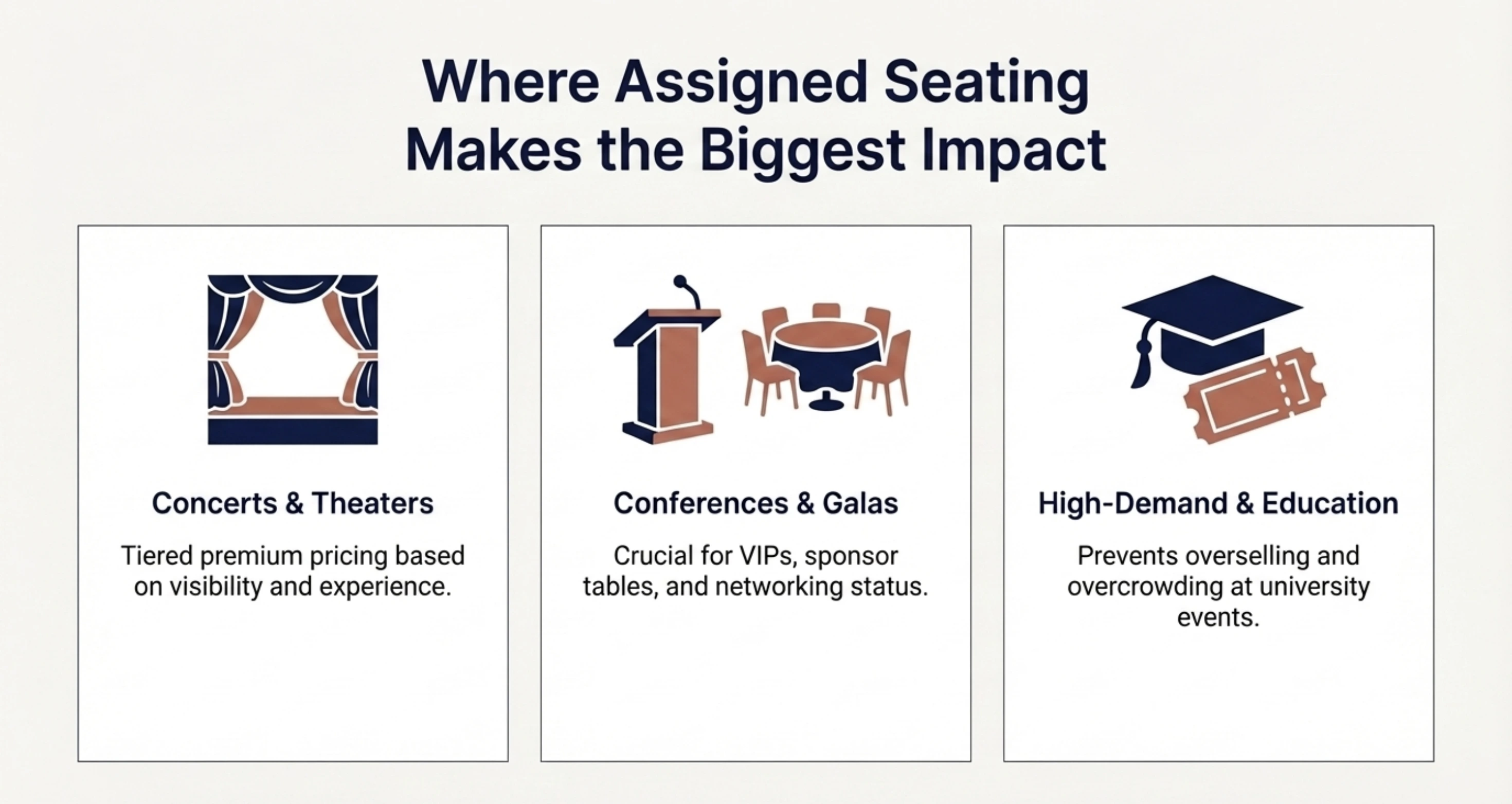
D. What types of events benefit most from assigned seating?
Well, not every event needs assigned seating. But when seat location affects the experience, assigned seating is the right default. It becomes essential whenever the venue has rows, sections, or tables that influence visibility, access, or pricing.
Here are the situations where assigned seating makes the biggest difference.
1. Concerts and live performances
In concerts, seat location directly affects the experience. A front-row seat near the stage is very different from a seat in the back rows.
Assigned seating allows organizers to:
sell premium rows at higher prices
clearly define VIP sections
avoid seat disputes during entry
This is also where tiered ticket pricing strategies work best. Seats closer to the stage can be priced higher, while rear sections remain affordable.
2. Theaters, plays, and performing arts
Theater audiences expect structured seating. People usually want to choose seats based on:
visibility of the stage
distance from performers
center vs side rows
Assigned seating makes sure that guests don’t have to rush to the venue trying to grab better spots. Instead, they simply arrive and go directly to their booked seats.
3. Conferences and corporate events
At conferences, seating position can be important for several reasons.
Some seats may be reserved for:
VIP guests
speakers
sponsors
media teams
Assigned seating makes it easier to manage these allocations ahead of time.
Instead of manually guiding guests to seats, organizers can pre-assign them through a reliable ticketing system.
4. Gala dinners and award ceremonies
Formal events like gala dinners often use table-based seating.
Guests may be placed at specific tables based on:
sponsorship level
guest category
networking groups
Assigned seating helps avoid confusion when guests arrive and start searching for their table.
The ticket itself can display the table number and seat position, which keeps the event organized.
5. Educational and institutional events
Schools and universities often run events such as:
convocations
annual functions
confrences
cultural performances
These events usually involve structured seating to prevent overcrowding and keep the entry process controlled.
6. High-demand ticketed events
Whenever demand is high and seats are limited, assigned seating becomes useful.
It allows organizers to:
manage inventory precisely
prevent overselling
sell seats based on position and value
It also helps ticket buyers feel more confident about their purchase because they know exactly what they paid for.
“Events that skip operational details like seating structure and check-in flow end up paying for it in staff time and attendee frustration.”
Pro Tip: If your event has structured seating like rows or sections, you can manage everything through a
seating chart maker
that converts your venue layout into a seat booking system.
E. How to set up assigned seating for your event (step-by-step)?
Assigned seating works best when the seat map, ticketing, and entry validation all operate inside one workflow.
To show how this works, I’ll walk through the process using Ticket Generator. I’m using it here because it supports reserved seating, ticket generation, and QR validation via a single dashboard, and to be honest, it’s pretty straightforward to set up as well.
Step 1: Sign up and create an event
Go to Ticket Generator and sign up for an account. Don’t worry it’s free to sign up and you won’t be asked for credit card details.
Step 2: Upload your venue layout
Once you’re in the dashboard, before creating the event, go to Settings → Venue Layout. From there, you can request a venue design. You can upload the floor plan of your venue and define sections such as:
VIP
Premium
General
Balcony
Tables
Next, connect seat sections to ticket pricing.
For example:
VIP – front rows
Premium – middle rows
General – rear rows
This allows you to price seats based on position instead of selling generic tickets.
Once the layout is approved, our team converts it into a live seating map where every seat becomes clickable. This is a one-time setup service with a small fee. After that, you can reuse the same venue layout for multiple events.”
Step 3: Create your event
Now, click on Create New Event. And add basic details such as:
Event name
Date and time
Venue location
Event description
Under the Venue Name section, tick the checkbox titled "Select a saved venue layout", once checked, you can see the pre-approved Seating Plan with the name in the dropdown. If you haven't already uploaded your seating layout with defined ticket tiers and zones, you can do so by clicking on "Venue layout".
Click Create. Your event now exists inside the dashboard. This is how a real seating chart maker becomes a revenue tool.
Step 4: Publish to enable seat selection during checkout
Once the layout and pricing are configured, you can publish the event. Attendees visiting the event page will now be able to:
see the venue layout
zoom into sections
view available seats
click their preferred seat
When they select a seat and proceed to payment, the system temporarily locks the seat to prevent another buyer from selecting it.
Step 5: Generate seat-linked tickets
After payment is successful, the system generates a ticket automatically.
The ticket typically includes:
event information
seat number
section name
unique ticket ID
QR Code
Step 6: Send tickets to attendees
Once you have set up event registration, you can send up to 1,000 tickets per batch via email. All you need to do is simply upload a spreadsheet (CSV, XLS, XLSX) with ticket details or manually add them in the dashboard editor.
Once tickets are generated, they can be distributed through several channels:
Email
SMS
WhatsApp
Downloadable PDFs
Digital distribution is usually faster and avoids the need for printed tickets.
Step 7: Validate tickets at entry
At the event entrance, staff can simply scan the ticket QR Code, and the system can instantly show whether the ticket is:
Valid
Duplicate
Invalid
This keeps entry fast and prevents unauthorized access. Once validated, attendees proceed directly to their assigned seats.
That’s how assigned seating should work in this day and age.
Ready to run events with structured seating instead of seat chaos? You can set up seat selection, generate QR tickets, and manage entry from one place usingTicket Generator.
Set Up Event Ticketing and Distribution in Minutes!
First 10 tickets free | Free account | No credit card required
F. Why assigned seating works better for both organizers and attendees?
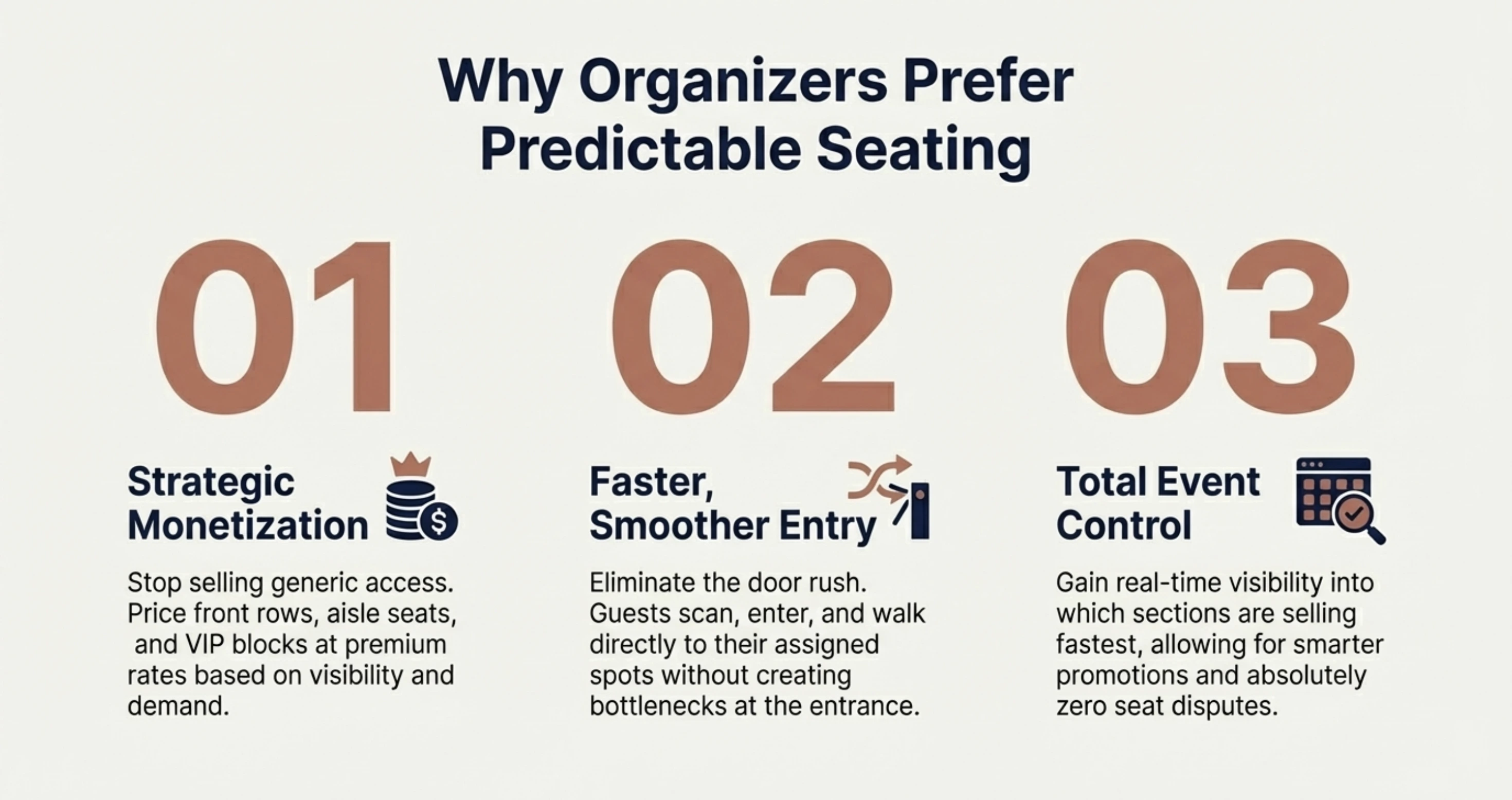
Once you run a few events with assigned seating, the difference becomes obvious. Everything becomes predictable.
Guests know where they’ll sit. Staff know how the venue is organized. And organizers can control pricing and capacity much more precisely.
1. Guests know exactly what they’re buying
When people buy a ticket with a specific seat, they know exactly what they are paying for.
This clarity increases buyer confidence. It also reduces last-minute complaints about visibility or placement.
2. Premium seats become easier to monetize
Assigned seating makes seat position visible during checkout. That allows organizers to price seats more strategically.
Front rows, aisle seats, VIP blocks, or balcony seating can all be priced differently.
Without seat visibility, pricing often becomes generic. Here, pricing becomes position-based. This gives organizers much more control over event revenue.
3. Entry becomes much faster
Events with general admission often create bottlenecks. People arrive early, rush the venue, and try to claim the best seats.
With assigned seating, guests simply:
Scan their ticket
Enter the venue
Go directly to their seat
The entire entry flow becomes smoother because there’s no seat competition happening at the door.
4. Seat disputes almost disappear
One of the biggest operational headaches at events is seat conflicts. Two people show up claiming the same seat.
Assigned seating eliminates most of these situations because:
the seat is chosen during purchase
the seat number is printed on the ticket
the system records the purchase
There’s very little ambiguity.
5. Organizers gain better event control
Assigned seating also gives organizers a clear view of how their venue is filling.
For example:
which sections are selling fastest
which seats remain unsold
where demand is highest
This visibility helps organizers adjust pricing, open additional seating blocks, or run promotions more strategically.
6. The event feels more organized
When guests arrive at an event with clear seating instructions, the entire experience feels more professional.
There’s less confusion at entry, fewer interruptions during the event, and fewer last-minute adjustments by staff.
Assigned seating doesn’t just organize the venue. It improves the perception of the event itself.
G. What are the best practices for managing assigned seating at events?
I’ve prepared this quick go-to table to help organizers manage assigned seating smoothly.
Best Practice
What It Means
Why It Matters
Design seating zones before ticket sales
Define sections like VIP, Premium, General, or Balcony before launching ticket sales.
Prevents confusion and avoids restructuring the layout after tickets are sold.
Price seats based on position
Set prices based on seat location (front rows, center sections, aisle seats).
Maximizes revenue and helps buyers understand the value of each seat.
Keep VIP seating limited
Reserve only the best seats for VIP categories.
Maintains exclusivity and increases perceived value.
Lock seats during checkout
Temporarily hold selected seats while a buyer completes payment.
Prevents two people from purchasing the same seat.
Include seat numbers on tickets
Display section, row, and seat number directly on the ticket.
Helps attendees locate seats quickly and reduces disputes.
Validate tickets with QR scanning
Use QR-based tickets to verify entry and prevent duplicates.
Ensures each ticket corresponds to a single attendee and seat.
Monitor seat inventory
Track which sections are selling and which seats remain unsold.
Helps organizers adjust pricing, promotions, or seat releases.
Assigned seating works best when the seating map, ticket generation, and entry validation operate together as one system. When these elements are aligned, the event becomes much easier to manage.
Conclusion
Assigned seating brings structure to events.
Instead of guests rushing to grab seats, every ticket is connected to a specific seat before the event even begins. That simple change removes confusion, reduces disputes, and helps events run more smoothly.
For organizers, assigned seating also turns the venue into structured seat inventory. Seats can be priced based on location, managed through seating charts, and tracked throughout the ticket sales process.
Once seat selection, ticketing, and entry validation are connected, managing events becomes much easier.
If you're setting up assigned seating, the system you use should support the entire workflow. Tools likeTicket Generator combine all of these capabilities into one platform. With Ticket Generator, you can:
1. Is assigned seating better than general admission?
Assigned seating works better for events where seat location affects the experience, such as concerts, theaters, conferences, and formal events. General admission works better for open seating events like festivals or standing concerts.
2. How do assigned seating tickets work?
During ticket purchase, attendees select their seat from a seating chart. Once payment is completed, the ticket is generated with the seat information and a QR Code or barcode for entry validation.
3. What is the difference between assigned seating and reserved seating?
Assigned seating usually means the attendee selects a specific seat. Reserved seating means seats are preallocated or blocked for specific groups such as VIP guests, sponsors, or speakers.
4. How do you create assigned seating for an event?
To create assigned seating, organizers usually upload a venue seating layout > define seating sections and ticket prices > enable seat selection during ticket purchase > Generate tickets with seat numbers > Validate tickets during entry.
This process is usually managed through a ticketing system that supports seating charts and seat booking.
Ashish Chandra has spent 5+ years writing about event technology, covering topics such as ticket design, QR check-ins, attendee management, and event marketing strategy. As the Content Lead at Ticket Generator, Ashish has analyzed hundreds of real-world event workflows and ticketing setups, helping organizers across industries use QR-based tickets, event landing pages, and smarter ticketing systems to run smoother, better-attended events.
His writing is shaped by real user needs and the questions organizers ask most often: How do I sell more tickets? How do I avoid chaos at the door? How do I make my next event better than my last?
When he steps away from the screen, you'll likely find him hiking a quiet trail or tending his plants- his preferred way to reset.





.png)

.png)






.webp)

.svg)
.svg)
