The best event check-in app combines ticket creation, automated QR distribution, and real-time duplicate-blocking validation in one system.
This eliminates sync failures and fraudulent entries.
For most organisers,
Ticket Generator
fits this: no commissions, instant QR validation via the
Ticket Validator
app, and a simple interface your staff can use in minutes.
If marketplace visibility matters more than margins, Eventbrite is the main alternative.
The right tool depends on your event size and whether you prioritise revenue control or audience reach.
This guide compares six top tools across validation type, pricing, and real-world entry performance.
Event check-ins are where things break.
Long lines. Duplicate tickets. Staff confusion. Angry attendees.
And it’s not rare. According to a 2025 report by SplashThat, over 60% of event organizers say on-site check-in is their biggest operational bottleneck.
That’s exactly why event check-in apps have become essential. But here’s the problem: most articles just list tools without telling you what actually works in real-world events.
From my experience working with ticketing systems, the difference isn’t the app; it’s how the system handles tickets, validation, and entry flow together.
For example, apps that rely on static QR Codes or manual lists often fail at scale. Meanwhile, platforms built around secure, unique QR-based tickets (like those explained in thissecure event tickets guide) handle entry far more reliably.
In this guide, I’ll break down:
The best event check-in apps in 2026
What features actually matter (and what doesn’t)
Where most tools fall short
And how to choose a system that won’t fail on event day
Let’s get into it.
A. What is an event check-in app & how does it actually work?
1. What is an event check-in app?
An event check-in app is a tool that helps you verify attendees at entry using a phone or tablet.
Instead of checking names on paper or managing long queues manually, staff can scan tickets or search attendees digitally and mark them as checked in in real time.
At surface level, it sounds simple. You scan a ticket, the system confirms it, and the person walks in.
But in practice, this is where most events either run smoothly or completely fall apart.
2. How do event check-in apps actually work?
Every check-in app follows the same basic flow. Tickets are created and shared with attendees, each person gets an identifier like a QR Code, and at the venue, staff scan or verify that identifier to allow entry.
That’s the simple version. The real difference lies in how the system handles validation. Most tools in the market fall into two categories, and this is where things start to matter.
3. Basic check-in systems (where things break)
Many apps rely on static QR codes or simple attendee lists. On paper, they still “work.” You can scan something or search a name and mark it as checked in.
But these systems don’t validate tickets in real time.
This means if someone shares a ticket or screenshots it, the system often can’t tell. The same ticket can be used more than once before anyone notices. As the crowd grows, staff start relying on guesswork, and entry slows down.
This is the exact moment where queues build and control is lost.
4. QR-based validation systems (what actually works)
Modern event check-in systems solve this by assigning a unique QR code to every attendee and validating it instantly when scanned.
The moment a ticket is scanned, the system checks it against a live database, marks it as used, and updates across all devices. If that same ticket shows up again, it’s flagged immediately.
There’s no delay, no manual verification, and no ambiguity.
5. Why does this difference matters in real events?
Imagine a mid-sized event with a few hundred attendees.
With a basic system, it only takes one shared ticket for things to go wrong. Multiple people can enter using the same code, and staff won’t always catch it in time. Entry becomes slower, lines get longer, and the experience starts to feel chaotic.
With a proper validation system, that same situation is handled instantly. The first scan works. Any duplicate is blocked right away. Staff don’t have to think about it, and the line keeps moving.
That’s the difference between a stressful entry and a smooth one.
Most organizers and event planners treat check-in as a standalone feature. In reality, it’s just one part of a larger system.
Check-in only works well when it’s connected to how tickets are created and distributed in the first place. If those parts are disconnected, the check-in experience suffers no matter how good the app looks on paper.
That’s why platforms that combine ticket creation, delivery, and validation in one flow tend to perform better. Tickets are generated with unique codes, sent automatically, and verified instantly at entry.
There’s no gap in the process.
B. What features actually matter in an event check-in app?
The best event check-in apps don’t win on the number of features. They win on how reliably they handle entry when it actually matters.
Most tools will claim things like “fast check-in,” “QR scanning,” or “real-time data.” But in practice, only a few features like real-time ticket validation actually make a difference on event day.
1. Real-time ticket validation (non-negotiable)
This is the single most important feature.
A good check-in app should not just scan a code. It should verify it instantly against a live system and mark it as used across all devices.
Without this, you’re not preventing duplicate entries. You’re just recording them.
If you’re using QR-based tickets, this becomes even more critical. The first scan should validate the ticket, and every subsequent scan should be blocked automatically.
If your app can’t do this, it will fail the moment tickets get shared.
2. Unique QR codes for every attendee
Some tools generate one QR code per event or per link. That might work for access pages, but not for actual ticketing.
For check-in to work properly, each attendee needs a unique QR code tied to their ticket.
This is what enables:
One-time entry validation
Accurate attendance tracking
Fraud prevention
Without unique codes, there is no real control at entry.
3. Speed under pressure
Check-in apps are rarely tested in calm conditions. They’re tested when 100 people arrive at the same time.
The app should scan instantly, show a clear status (valid, duplicate, invalid), and work without lag. Even a 5–10 second delay per scan can create long queues very quickly.
This is where many tools break, not because they lack features, but because they can’t handle real-world volume.
According to Ticket Generator’s internal data, 80% of all events managed using Ticket Generator encountered at least one fake ticket, which was flagged by Ticket Generator’s check-in app.
4. Simple interface for staff
Your check-in team is not going to read a manual on event day.
The app should be easy to understand within minutes. It should be clear in its feedback (no confusion between valid vs duplicate), basically, designed for speed, not complexity
If staff have to think while scanning, the system slows down.
5. Built-in ticketing + check-in
This is where most tools fall short. Many platforms handle ticket creation, ticket delivery and check-ins as separate systems.
That creates gaps. Tickets don’t sync properly. Data mismatches happen. Entry validation becomes unreliable.
A system that combines everything into one flow works better. It should ensure that tickets are created, sent, and validated within the same system, reducing errors at entry.
6. Real-time attendee data
A good check-in app should give you instant visibility into:
Who has entered
How many attendees are left
Peak entry times
This isn’t just useful during the event. It helps you:
Adjust staffing
Monitor crowd flow
Analyze performance afterward
Many tools offer “analytics,” but only a few provide real-time, usable data during entry.
7. Which features don’t matter as much?
This is where people often get distracted. Things like fancy dashboards and overly detailed reports may sound useful, but they don’t impact check-in speed or reliability.
If the core system fails at validation or speed, none of these extras will save it.
Did you know? Across 1,500 events on Ticket Generator, 70% relied on Ticket Validator, while smaller, invite-only gatherings with known guest lists often skipped validation.
The bottom line
A great event check-in app is not about having more features.
It’s about getting three things right:
Validation (is the ticket real and unused?)
Speed (can you process people quickly?)
Simplicity (can your team use it without friction?)
Everything else is secondary.
C. What are the best event check-in apps (2026 Comparison)
The best event check-in apps are the ones that combine ticketing, QR validation, and real-time entry tracking in one system.
Here’s a quick comparison of the top tools in 2026 based on what actually matters at entry:
Tool
Best For
Check-in Method
Validation Type
Pricing Model
Key Limitation
Ticket Generator
All-in-one QR ticketing & check-in
QR code scanning
Real-time, per-ticket validation
No commission, flat pricing
No marketplace discovery
Eventbrite Organizer
Large public events
QR / barcode scanning
Real-time validation
Per-ticket fees
High commissions
Whova
Conferences & corporate events
QR / badge scanning
Real-time
Custom pricing
Expensive for small events
Cvent OnArrival
Enterprise events
QR / badge / kiosk
Real-time
Enterprise pricing
Complex setup
Ticket Tailor
Low-fee ticketing
QR scanning
Real-time
Flat + per-ticket cost
Separate setup for workflows
Eventleaf
Corporate events
QR / manual check-in
Real-time
Per-event pricing
UI not intuitive
Quick takeaway
Most tools in this list can scan tickets. Very few handle the entire check-in flow cleanly from ticket creation to validation.
That’s where the real difference shows up:
Some tools are great for marketing and discovery (like Eventbrite)
Some are built for enterprise-scale operations (like Cvent or Bizzabo)
And some focus on simple, controlled entry without extra fees
If your priority is fast, reliable check-in without losing revenue to commissions, an all-in-one system likeTicket Generator tends to be the more practical choice.
Set Up Event Ticketing and Distribution in Minutes!
First 10 tickets free | Free account | No credit card required
D. Which event check-in app should you actually use?
The answer depends on your event type, size, and how much control you want over ticketing and entry.
Here’s a practical breakdown of each tool based on real use cases, not just feature lists.
1. Ticket Generator: Best for simple, reliable QR-based check-in
If your goal is to create tickets, send them, and manage check-ins in one system, this is one of the most straightforward options.
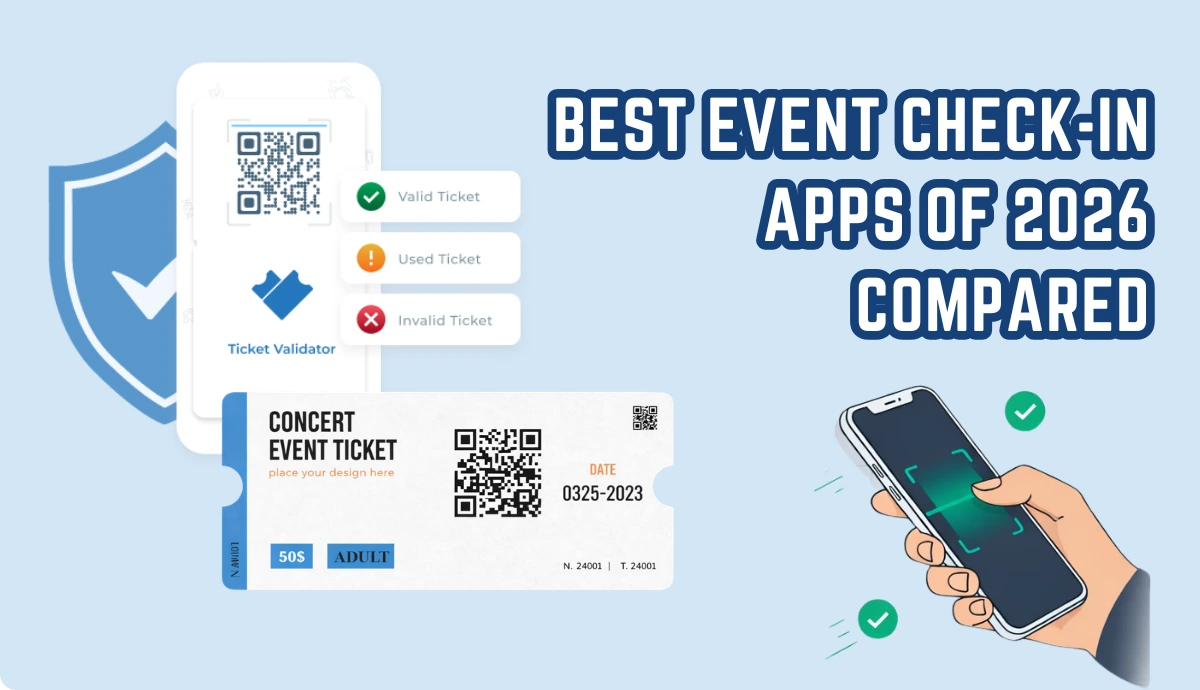
What stands out is how tightly everything is connected. Tickets are generated with unique QR codes, sent to attendees, and validated instantly via the Ticket Validator app. There’s no need to worry about syncing data.
From a check-in perspective, this matters. Staff can scan tickets and immediately see whether they’re valid or already used, which keeps entry fast and controlled.
It’s also one of the few tools that avoids marketplace-style commissions. If you’ve read aboutno-fee ticketing platforms, this approach gives you more predictable pricing without cutting into ticket revenue.
When it works best: Small to mid-sized events, paid events, private events, or anyone who wants full control over ticketing and entry without extra complexity.
Did you know? The Heartland Emmy Awards needed a reliable way to manage entries across multiple high-attendance events. They used Ticket Generator’s QR-based tickets, instant scans, and live attendance tracking to manage 10+ events and 3,400+ tickets smoothly — with no gate chaos and full control at entry.
2. Eventbrite: Best for discovery and large public events
Eventbrite is one of the most widely used platforms, and its Organizer app handles check-in through QR or barcode scanning.
It works well if you’re hosting public events and want visibility through Eventbrite’s marketplace. The check-in experience itself is solid, with real-time validation and a familiar interface for staff.
The trade-off is pricing. Eventbrite charges per-ticket fees, which can add up quickly, especially for paid events.
When it works best: Public events where discovery and reach matter more than margins.
3. Whova: Best for conferences and attendee engagement
Whova is more than a check-in app. It’s a full event experience platform with networking, agendas, and attendee engagement features built in.
Check-in is handled through QR codes or badges, and the system works reliably for structured events like conferences.
However, it can feel heavy if you only need check-in and ticketing. The pricing also leans toward higher-end use cases.
When it works best: Corporate conferences, multi-day events, and events where attendee interaction is a priority.
4. Cvent OnArrival: Best for enterprise-scale events
Cvent is designed for large organizations and high-volume events. Its OnArrival app supports QR scanning, badge printing, and kiosk-based check-in.
The system is powerful, but it comes with complexity. Setup takes time, and the pricing is typically suited for enterprise budgets.
From a check-in standpoint, it performs well at scale, especially when combined with other Cvent tools.
When it works best: Large corporate events, trade shows, and enterprise environments.
Ticket Tailor is known for its low-fee pricing model. It allows you to sell tickets without heavy commissions, which makes it attractive for budget-conscious organizers.
Check-in is handled through QR scanning, and the system is reliable for standard use cases.
However, some workflows—like ticket distribution and customization—may require additional setup or integrations.
E. Which event check-in app is best for your type of event?
Not every event needs the same check-in system. A 50-person workshop does not have the same entry pressure as a 2,000-person festival. The best event check-in app depends on scale, budget, and how much control you want.
Here’s how I think about it.
1. For small events (under 200 attendees)
Small events need speed and simplicity.
You don’t need enterprise dashboards or complex badge printing. You need tickets that work, QR codes that scan instantly, and a system your staff can understand in minutes.
This is where an all-in-one QR ticketing system works best. When ticket creation and validation live inside the same tool, there’s less room for error. A platform likeTicket Generator keeps the flow simple. Tickets are generated, sent, and validated without relying on third-party integrations.
For small paid events, avoiding per-ticket commissions also makes a noticeable difference in profit margins.
2. For mid-sized events (200–1,000 attendees)
This is where weaknesses start to show.
If your system cannot validate tickets in real time, duplicates become a real risk. Lines move slower. Staff rely on manual checks. Entry becomes stressful.
At this size, you need:
Unique QR codes per attendee
Instant duplicate blocking
Real-time sync across devices
Platforms built around QR validation perform better here than list-based check-in apps. The key is reliability under pressure.
If your event also includes tiered pricing or different ticket categories, your system should handle that cleanly. Thistiered ticket pricing guide explains why category control matters for entry flow.
3. For large public events
Large public events introduce a different factor: discovery.
If your goal is exposure and ticket sales through a marketplace, platforms like Eventbrite can help with visibility. Their check-in app is solid, and the ecosystem is familiar to many attendees.
The trade-off is fees. Marketplace models usually charge per-ticket commissions, which can significantly reduce margins on high-volume events.
For organizers who already have their audience and don’t need marketplace traffic, using a direct ticketing system with built-in check-in often provides more control and better revenue retention.
4. For free events
Free events still need controlled entry.
In fact, duplicate tickets are often more common at free events because there’s no financial barrier.
This is where unique QR-based tickets matter even more. Even if you are not charging, your check-in system should prevent multiple entries using the same code.
Using a reliable free QR Code ticket generator likeTicket Generator allows organizers to maintain control without adding unnecessary costs.
5. For events with assigned seating
If your event includes reserved seats, your check-in app must connect to your seating layout. Otherwise, staff cannot verify whether attendees are entering the correct section.
If you’re planning structured seating, tools that integrate with a properinteractive seating chart will help prevent confusion at entry.
The simple decision framework
If you need marketing exposure → marketplace platforms may help. If you need enterprise features → corporate event platforms fit better. If you need fast, secure, and controlled check-in without heavy fees → an integrated QR-based ticketing system is usually the smarter choice.
The biggest mistake I see is organizers choosing tools based on popularity instead of entry flow needs.
F. Common mistakes to avoid when choosing an event check-in app
Mistake
What Organizers Assume
What Actually Happens
Better Approach
Choosing based on popularity
“It’s well-known, so it must work for us.”
You overpay for features you don’t need or get locked into high per-ticket fees.
Choose based on event size, entry flow, and pricing model — not brand recognition.
Ignoring validation type
“It scans QR codes, that’s enough.”
Duplicate tickets slip through because validation isn’t truly real-time.
Use systems with unique QR codes and instant duplicate blocking.
Separating ticketing and check-in tools
“We’ll just connect them later.”
Sync issues, mismatched attendee data, and slower entry at the venue.
Use an all-in-one ticketing + check-in platform.
Not testing under real conditions
“It works fine in demo mode.”
Lag and confusion when large groups arrive at once.
Simulate peak entry traffic before event day.
Overlooking fee structure
“Fees won’t impact us much.”
Margins shrink due to commissions or per-ticket charges.
Compare flat pricing vs commission-based models carefully.
Skipping offline capability
“The venue Wi-Fi will be reliable.”
Check-in slows down or stops during network drops.
Choose tools that function in low connectivity environments.
Overcomplicating the setup
“More features means better control.”
Staff struggle with the interface, slowing entry.
Prioritize simplicity and speed over feature overload.
Conclusion: What’s the best event check-in app in 2026?
The best event check-in app isn’t the one with the most features. It’s the one that keeps your entry fast, secure, and stress-free.
After comparing the top tools, a clear pattern emerges:
Enterprise platforms are powerful but often complex
Marketplace tools help with discovery, but charge higher fees
Simpler systems focused on QR-based validation and entry control tend to deliver smoother check-in experiences
If your goal is reliable entry without unnecessary costs or complexity, the smartest approach is to use a platform that combines:
All in one place. That’s why many organizers now prefer using Ticket Generator. It keeps the process connected from ticket creation to final scan, which is where most tools fail.
Because in the end, check-in is not just about scanning. It’s about control. It’s about speed. And it’s about protecting your event experience from the very first interaction.
If you want a deeper look at how digital ticketing and secure QR validation work together, thisdigital ticketing guide breaks it down step by step.
Set Up Event Ticketing and Distribution in Minutes!
First 10 tickets free | Free account | No credit card required
The best event check-in app is one that offers real-time QR code validation, duplicate prevention, and fast scanning under pressure.
For public events needing marketplace visibility, platforms like Eventbrite work well. If your priority is simple, secure QR-based ticketing with built-in check-in and no heavy commissions, an integrated platform likeTicket Generator is often the more practical option.
The right choice depends on your event size and goals.
2. Is there a free event check-in app?
Yes, some platforms offer free plans or free check-in apps. However, many “free” tools still charge:
Per-ticket fees
Payment processing fees
Marketplace commissions
If you're running a free event and want full control without revenue cuts, using a free QR code ticket generator with built-in validation can be more cost-effective than marketplace-based tools. Always check the pricing model before deciding.
3. How do QR code event check-in apps prevent duplicate tickets?
Modern QR-based systems assign a unique QR code to each attendee.
When the ticket is scanned:
The system validates it instantly
Marks it as used
Blocks any future scans of the same code
If someone tries to reuse a screenshot, the app flags it as invalid.
This real-time validation is what separates true event entry management systems from basic QR scanners.
4. Can I use a check-in app without internet?
Some event check-in apps support offline or low-network functionality.
In these cases, the app stores scan data locally and syncs when connectivity returns.
However, real-time duplicate prevention works best with an active connection. If you’re hosting an outdoor or large venue event, make sure your app supports low-connectivity environments.
5. What devices work best for event check-in apps?
Most check-in apps work on iPhones and Androids. For faster scanning, devices with good cameras perform better. Many organizers prefer tablets at entry gates because the screen makes status confirmation easier for staff.
6. What’s the difference between an event check-in app and a ticket scanner app?
A ticket scanner app only reads QR codes. An event check-in app does more. It validates tickets, updates attendance data, blocks duplicates, and tracks entry in real time.
If your goal is full entry control, you need more than just a scanner. You need a validation system connected to your ticketing platform.
7. Do I need separate tools for ticketing and check-in?
No and in most cases, you shouldn’t. Using separate systems can create sync issues and slower entry on event day.
Platforms that combine ticket generation, delivery, and QR-based validation in one system reduce friction and prevent errors.
Ashish Chandra has spent 5+ years writing about event technology, covering topics such as ticket design, QR check-ins, attendee management, and event marketing strategy. As the Content Lead at Ticket Generator, Ashish has analyzed hundreds of real-world event workflows and ticketing setups, helping organizers across industries use QR-based tickets, event landing pages, and smarter ticketing systems to run smoother, better-attended events.
His writing is shaped by real user needs and the questions organizers ask most often: How do I sell more tickets? How do I avoid chaos at the door? How do I make my next event better than my last?
When he steps away from the screen, you'll likely find him hiking a quiet trail or tending his plants- his preferred way to reset.





.png)






.webp)

.svg)
.svg)
