An event landing page is the first touchpoint between your event and potential attendees
A well-designed page helps boost ticket sales by clearly showcasing event details, visuals, and a smooth sign-up process
With Ticket Generator, you can create an event landing page in minutes without coding or extra tools
It helps manage everything in one place, from guest registration to ticket delivery and validation
A strong event landing page can increase attendance and engagement significantly
When you’re promoting an event online, your landing page is often the first impression guests get. It’s where people can take action, where people decide if they’ll actually attend.
But here’s the truth: most event landing pages are either too cluttered or too generic to convert visitors into ticket buyers. They miss what really matters: clear information, strong visuals, and a smooth registration flow.
That’s where a well-designed event landing page comes in. It’s more than just a web page. It’s your digital venue entrance. It tells people what, when, and why they should attend, and makes it effortless for them to sign up or buy tickets.
With Ticket Generator, you don’t need a developer or a complex setup. You can create an event landing page in minutes with complete event details, branding, registration options, and instant ticket delivery. Everything is automated, from guest registration to ticket validation at the venue.
In this guide, I’ll break down how an event landing page works, why it’s crucial for your event’s success, and how you can set one up using Ticket Generator to boost attendance and engagement effortlessly.
A. What is an Event Landing Page?
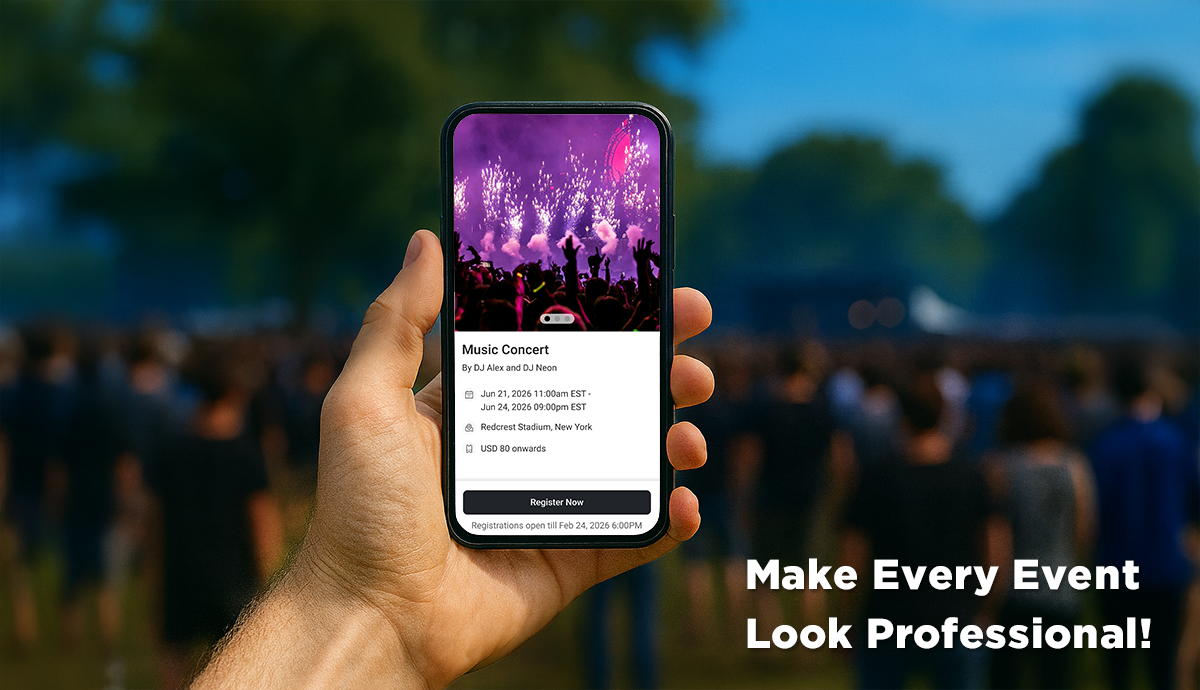
An event landing page is basically a standalone web page designed to promote a specific event and drive registrations or ticket sales.
Think of it as your event’s online front door. It provides visitors with all the details they need, such as what the event is about, when and where it is happening, why they should attend, and how to register or buy tickets.
Unlike a regular website, an event landing page has one clear goal: get people to attend. Everything on the page, be it the visuals, copy, and layout, guides visitors toward that goal.
A good event landing page typically includes:
Event name, date, and location
A short and engaging event description
High-quality visuals such as banners, photos, or teaser videos
Clear call-to-action buttons like “Register Now” or “Get Tickets”
Speaker or performer information (if applicable)
Social proof, such as testimonials or past event highlights (optional but works like a charm)
Contact or support details
An event landing page also makes it easy for organizers to collect attendee data, send confirmations, and deliver tickets automatically.
With Ticket Generator, you can create such a page instantly. Each event you set up comes with a custom event landing page that showcases your event details beautifully.
You can share it anywhere, on social media, emails, or WhatsApp, and start receiving registrations right away.
Did you know that dynamic event landing pages (customised specifically for registrations for events) convert 25.2 % more mobile users? (Source: VWO) And with Ticket Generator, you don’t have to worry about designing the page; just get the right information and you’re good to go!
B. Why do you need an Event Landing Page?
If you are promoting an event online, having an event landing page, aka an event registration page, is not optional anymore.
It is the difference between someone scrolling past your post and someone who actually registers or buys a ticket.
Here is why every event organizer needs one:
1. It builds trust and credibility
An event landing page makes your event look professional and organized. When people see a dedicated page with clear details, branding, and a ticketing process, they are more likely to trust it. This credibility helps increase sign-ups and reduces hesitation.
2. It keeps everything in one place
Instead of sending links to Google Forms, PDFs, or multiple platforms, your landing page becomes a single source of truth. Visitors can learn about the event, register, and get their tickets, all in one flow.
3. It improves conversions
A focused event landing page removes distractions and guides visitors toward one goal: attending your event.
With the right visuals, social proof, and call-to-action buttons, your conversion rate can go up significantly.
4. It helps you collect valuable data
Each registration or ticket sale gives you important attendee data such as name, email, and preferences.
This data helps you plan better, communicate with guests, and even promote future events more effectively.
5. It makes promotions easier
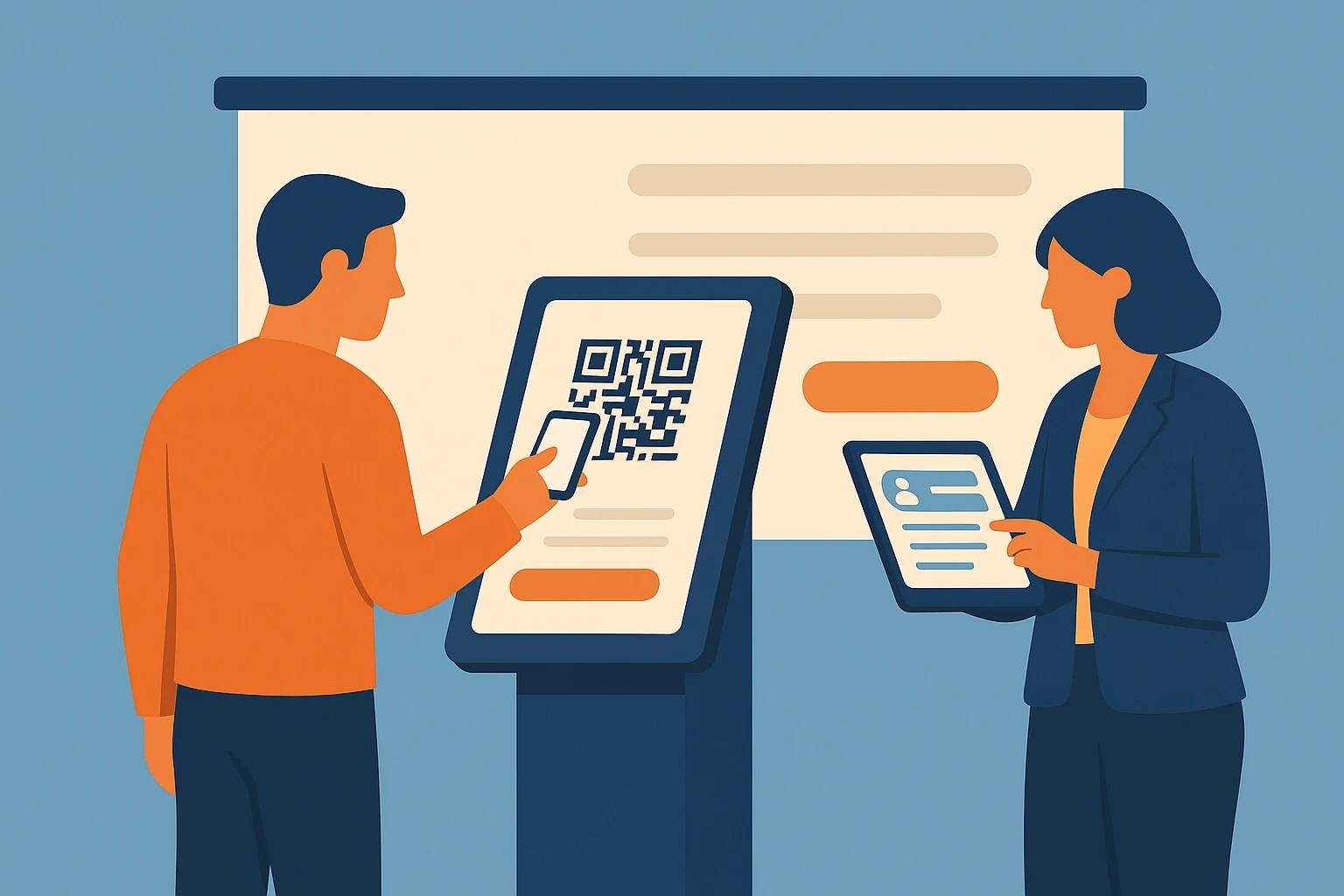
You can share your event landing page link anywhere, on social media, email, WhatsApp, or even QR Codes on posters. People can scan or click and land directly on the page to register.
Plus, with the Custom Domain feature, you can personalize the domain and URL of your event page to reflect your own branding, ensuring a professional, consistent experience for your attendees.
Plus, it connects with your ticketing flow, so once people register, they instantly receive digital tickets with QR Codes, ready to be scanned at the venue.
C. How to Create an Event Landing Page (Step-by-Step)
Creating an event landing page might sound technical, but it is actually very simple. With Ticket Generator, you can set up everything in a few minutes without needing any web design or coding skills.
Here is a quick step-by-step guide to help you create one:
Step 1: Log in or sign up on Ticket Generator
Start by visiting Ticket Generator and signing up for free. Once you log in, click on Create New Event to start setting up your event.
Step 2: Add basic event details
Enter the event name, date, time, and location. You can also upload a banner image on the event ticket and write a short event description that explains what it is about. Keep it simple, engaging, and easy to skim.
To create your event, you need to fill in the following details:
Event Name (maximum 50 characters)
Date & Timings
Ticket Activation Date & Time: Event coordinators will be able to validate tickets only after this specified time
Timezone
Venue (maximum 75 characters)
Note that these events details will be printed on the tickets as well. So enter content accordingly.
The event will be created and it will be visible on the Manage Event dashboard. You can then proceed to the Design and Generate Event Tickets section.
Step 3: Enable registration or ticketing
Decide whether you want attendees to register for free or purchase tickets. Ticket Generator supports both options.
For free events, guests can register and instantly get their digital tickets
For paid events, you can connect your own payment gateway and collect payments directly without any commission charges
Step 4: Specify your ticket design
Next, you can choose how you’d like your tickets to look. Ticket Generator gives you complete flexibility, you can upload your own design, create one from scratch, or use a pre-designed template.
Upload Own Design: Use your ready-made design template to create tickets that match your event branding. You can also click the “+” icon to add variable details unique to each ticket, such as the guest’s name, seat number, and more.
Edit Design: Prefer to design within Ticket Generator? Use the standard design editor to create your ticket from scratch. You can add your logo, change the background color, or upload a background image for a personalized touch.
Choose from Templates: If you don’t want to design a ticket from the ground up but still want an appealing look, simply select Choose from Templates. You’ll find several professionally designed templates to pick from, just click and apply.
Step 5: Set up the delivery method
Once your ticket design is ready, it’s time to set up how guests will register and receive their tickets.
Under Delivery Methods, select Generate Form Link.
On the next page, you can design your registration page (event ladning page) - add event description, details, and customize form fields and button text. When done, click Done Editing.
Choose whether you want manual or automatic registration approvals.
Once a registration is approved, the ticket is automatically sent to the guest
You can also limit the number of registrations by specifying a registration cap
Click Update Settings to save your preferences.
Step 6: Testing and launching your event landing page
You’ll now be taken to the Registrations page.
From the dropdown menu, select your event.
Use the Test Registration Link to preview the registration process, no ticket credits will be deducted during testing.
Once everything looks good, copy the Live URL to start collecting real registrations.
Note: For each approved registration and generated ticket, one ticket credit will be used.
Step 7. Monitoring your registrations
You can easily track and manage registrations from the Registrations Table.
Every guest who submits the form appears in this table.
You’ll see details like approval status, guest email and phone number, ticket status, and available actions.
If you’ve chosen manual approvals, you can approve or reject registrations directly here.
Based on your action, the event ticket will be automatically generated and sent via email, SMS, or both.
And that’s it! That’s how you can use Ticket Generator’s event registration feature to streamline sign-ups, personalize ticket designs, and deliver a seamless experience for your attendees.
Step 8: Track registrations and manage guests
After publishing, you can track every registration or ticket sale in your dashboard. You can download attendee lists, send updates, and validate tickets at the entry gate using the Ticket Validator app.
Set Up Event Ticketing and Distribution in Minutes!
First 10 tickets free | Free account | No credit card required
D. Expert tips for designing an effective event landing page
When you are setting up your event landing page, every choice matters. From the visuals to the form button, each element can push someone from “maybe” to “yes.” Below are some key design and copy tips that make a difference:
1. Use a clear and engaging heading
Your headline should say what the event is and why it matters immediately. Avoid vague phrases like “Join us” alone. Think: “Master Digital Marketing in One Day” or “Unlock Live Jazz Under the Stars”.
2. Spotlight the value proposition
Tell your audience what’s in it for them. Use bullet points or a short paragraph that explains the takeaway: learning new skills, networking, fun experience, free food, etc. Keep the language simple.
3. Add high-quality visuals
Images or a short teaser video make the event feel real. Visuals convey mood, venue, attendees, and excitement.
Don’t confuse visitors with multiple calls. Choose one main action: “Get Your Ticket”, “Reserve Your Seat”, etc. Landing pages with a single clear CTA convert significantly better than multiple ones.
5. Keep it mobile-friendly and fast
Many people will arrive via mobile. Good mobile experiences count. Pages that load in 1 second instead of 5 can convert up to three times more. (Source: Crazy Egg)
Also, faster load times and less clutter improve conversion.
6. Use social proof and trust signals
While promoting your event landing page on your social media platforms or ads, add testimonials from past attendees, speaker photos, event logos, and media mentions.
When people see others have had a good experience, they are more likely to register.
7. Simplify the registration form
The fewer fields you ask for, the higher the chances of registration. Most people don’t want to fill in long forms.
For example, one study found that the average landing page form fields are quite low when conversion is the goal. (source: Hubspot)
Only ask for essential info: name, email, maybe one extra field like “Organisation” or “T-shirt size”.
8. Creating a dedicated custom page is always better, not just a section on your website
Treat your event landing page as a standalone experience, focused entirely on this one event. Avoid excessive navigation or links that distract visitors from the registration flow.
E. Common mistakes to avoid when building an event landing page
Even experienced organizers can get a few things wrong when creating an event landing page. These small mistakes can cost you registrations, ticket sales, and even trust. Here are the most common ones and how to avoid them.
1. Overloading the page with too much information
You want your visitors to register, not get lost reading paragraphs of text. Avoid cramming in every small event detail. Keep it short, visual, and focused on the essentials: what, when, where, and why it matters.
2. Forgetting a clear call-to-action
If people have to search for your “Register” or “Get Ticket” button, they will probably leave. Make sure your CTA is visible, consistent, and repeated throughout the page.
3. Using low-quality or irrelevant visuals
Blurry images or stock photos that do not match your event’s vibe can turn people away. Use real photos from past events or visuals that represent your audience.
4. Not optimizing for mobile
Most users browse event links on their phones. If your page does not load properly on smaller screens, you can lose up to half your potential attendees. Always check that your page looks clean and loads fast on mobile.
5. Making the registration form too long
Asking for too much information can scare away visitors. Studies show shorter forms convert better.
Stick to essentials like name, email, and phone number. You can always collect more details later through follow-up forms or surveys.
6. Ignoring post-registration engagement
Many organizers stop once people register, but that is where the relationship begins. Send confirmation emails, reminders, or tickets to keep attendees excited.
With Ticket Generator, this part is already handled; tickets are sent instantly after registration.
7. Using a generic or poorly branded page
A plain or mismatched landing page can make your event seem less professional. Add your logo, event banner, and consistent colors. Branding builds trust and helps people remember your event.
8. Forgetting to track results
Without tracking, you will not know what is working. Ticket Generator’s dashboard lets you see how many people viewed, registered, and checked in at the event. These insights help you improve future campaigns.
9. Not testing before sharing
Before going live, test your page links, form submissions, and payment setup (if it is a paid event). A small broken link can cost you hundreds of sign-ups.
The Take? Avoiding these mistakes will make your event landing page more professional, more persuasive, and more effective. With Ticket Generator, you can skip most of these pitfalls since every landing page is automatically optimized for mobile, branded, and linked to real-time registration and ticket delivery.
Set Up Event Ticketing and Distribution in Minutes!
First 10 tickets free | Free account | No credit card required
F. How does Ticket Generator help you build a high-converting event registration page?
If you want to set up an event landing page fast and still make it look professional, Ticket Generator is built for that.
Here is how it helps:
1. Ready-made landing pages for every event
Each event you create automatically gets a clean, mobile-friendly landing page. You just add your event details, and it is instantly shareable.
2. Built-in registration and ticketing
You can collect registrations or sell tickets right from the landing page. Guests get their digital tickets instantly, each with a secure QR Code.
3. No commissions or tech setup
Connect your own payment gateway and keep 100% of your ticket revenue. There is no need for extra software or coding.
4. Real-time tracking
Monitor registrations, ticket scans, and attendance data directly from your dashboard.
With Ticket Generator, you save time, reduce costs, and create a seamless experience for both you and your guests, all in one tool. Pretty awesome, right?
G. FAQs: Event Landing Page
1. What is the main purpose of an event landing page?
An event landing page gives potential attendees all the key details in one place and encourages them to register or buy tickets. It helps boost attendance and makes your event look professional.
2. Do I need a website to create an event landing page?
No. With Ticket Generator, each event you create comes with its own landing page. You do not need a separate website or hosting.
3. Can I sell tickets directly from my event landing page?
Yes. Ticket Generator allows you to connect your own payment gateway so guests can buy tickets securely without any extra commission fees.
4. How can I promote my event landing page?
Share your page link on social media, in email newsletters, or through WhatsApp. You can also create a QR Code for your event page and add it to posters or flyers for easy scanning.
5. Can I track how my landing page is performing?
Yes. Ticket Generator’s dashboard gives you real-time insights into registrations, ticket sales, and guest check-ins so you can measure success and improve future events.
Conclusion
An event landing page is not just a promotional tool. It is your event’s online home, where people decide whether to join or not. A good page builds excitement, simplifies registration, and sets the right first impression.
With Ticket Generator, you can create a high-converting event landing page in minutes. Everything - event setup, registration, ticketing, and validation - happens in one place. No coding, no third-party tools, and no commission cuts.
If you are planning your next event, start by setting up a free event page on Ticket Generator and watch how a simple, well-designed page can help fill every seat.
Set Up Event Ticketing and Distribution in Minutes!
First 10 tickets free | Free account | No credit card required
Ashish Chandra has spent 5+ years writing about event technology, covering topics such as ticket design, QR check-ins, attendee management, and event marketing strategy. As the Content Lead at Ticket Generator, Ashish has analyzed hundreds of real-world event workflows and ticketing setups, helping organizers across industries use QR-based tickets, event landing pages, and smarter ticketing systems to run smoother, better-attended events.
His writing is shaped by real user needs and the questions organizers ask most often: How do I sell more tickets? How do I avoid chaos at the door? How do I make my next event better than my last?
When he steps away from the screen, you'll likely find him hiking a quiet trail or tending his plants- his preferred way to reset.







.png)






.webp)

.svg)
.svg)
