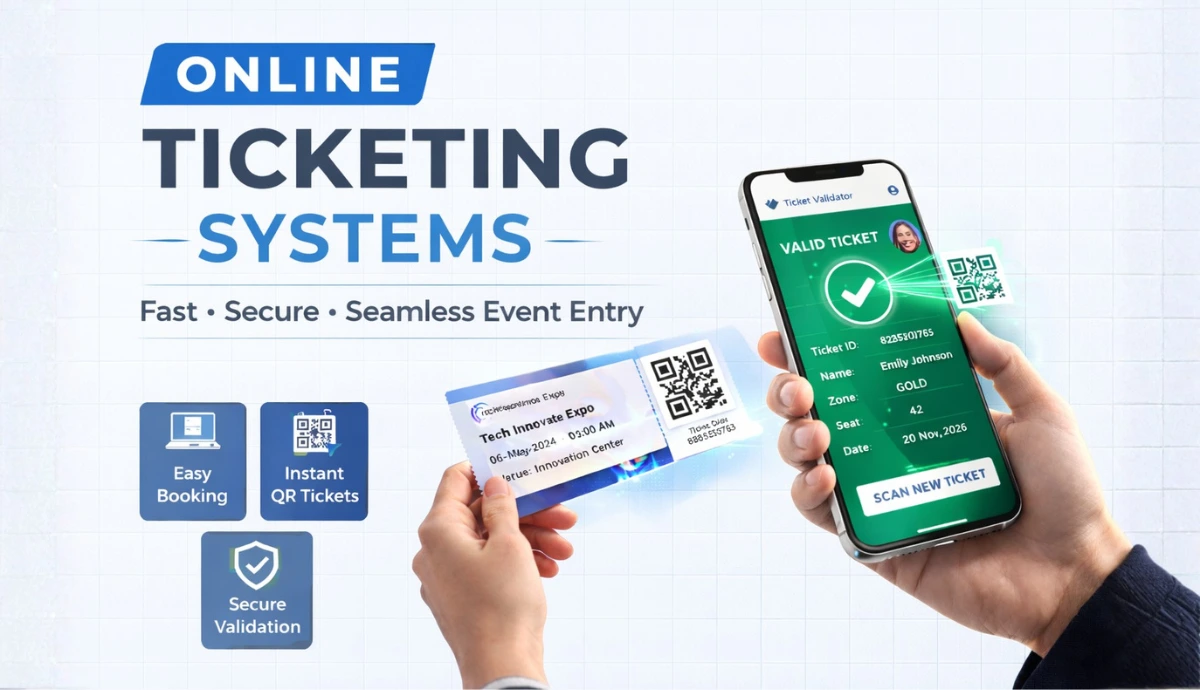
An online ticketing system lets you create, sell, send, and validate tickets digitally, no manual work and no chaos at entry.
It helps you automate ticket sales online, accept secure payments, and send instant confirmations.
Modern digital ticketing platforms use QR codes or barcodes to prevent fraud and speed up check-ins.
You get real-time data, you know who bought tickets, when they bought, and how your event is performing.
DIY methods work for small gatherings. But if you are selling tickets publicly, proper event ticketing software saves time and protects revenue.
Anonline ticketing system is the backbone of modern event sales. What used to be long queues and printed stubs is now a just a few taps on a screen.
This shift isn’t small. The global online ticketing market is already valued in the tens of billions and continues to grow at a steady pace every year. Today, digital ticketing platforms are projected to exceed USD ~90 billion by 2030. And the credit often goes to high mobile adoption and digital payments.
For event organizers and planners, this matters. A strong online ticketing system doesn’t just sell tickets. It reduces manual work, improves attendee experience, and gives you data you can act on.
That’s why more organizers are moving away from DIY paper tickets and simple print-outs. Whether you’re hosting a small workshop, a community meetup, or a major concert, the right system can simplify sales and scale with your growth. It saves time, money, and effort. It ensures a smooth experience for your attendees. You won't have to juggle multiple systems.
In this article, I’ll walk you through what online ticketing systems really are, how they work, and why they’re worth it. I’ll also share how to choose the right one, what features matter most, and how modern platforms help you sell more tickets with less effort.
A. What is an online ticketing system?
An online ticketing system is a digital platform that allows event organizers to create tickets, sell them online, and manage entry without manual work.
Instead of printing paper tickets or tracking sales in spreadsheets, everything happens in one place. You set up your event. Add ticket types. Share the link. Attendees pay online and receive their tickets instantly by email.
Most modern systems also generate a unique QR code ticket or barcode for each buyer. At the venue, you simply scan and validate. Basically, it replaces manual ticket handling with automation.
But a good online ticketing system does more than just sell tickets. It tracks sales in real time. It prevents duplicate entries. It organizes attendee data. And it gives you visibility into how your event is performing.
If you're still using printable tickets or Excel sheets, that might work for 20 people. Once you scale, you need structure. That’s where event ticketing software becomes essential.
B. Why online ticketing matters today?
1. The problems with traditional ticketing systems
For years, events relied on traditional ticketing systems. Design the ticket. Add guest details manually. Print it. Distribute it. It worked. But it came with drawbacks.
Manual processes mean manual errors. Misspelled names. Duplicate entries. Lost records. When guest data is handled by hand, mistakes happen. And those mistakes usually show up at the entry gate.
It’s also slow. Printing tickets. Managing physical counters. Reconciling payments. Handling last-minute changes. For small gatherings, maybe manageable. For larger events, it becomes stressful.
Then there’s cost. Printing physical tickets. Hiring entry staff. Setting up on-site validation systems. All of it adds overhead. And you still don’t get meaningful data.
Traditional systems don’t show peak entry time. They don’t track real-time ticket sales online. They don’t reveal which ticket tier performs best.
Fraud is another issue. Physical tickets can be duplicated. Screenshots reused. Revenue quietly leaks.
This is where traditional ticketing starts to fall apart.
2. Why an online ticketing system changes everything
An online ticketing system removes that friction.
It automates registration. Automates ticket delivery and validation. Each buyer receives a unique QR Code ticket. Entry becomes scan-and-go.
This means errors reduce. Staff workload drops. Payments are processed securely through the system.
But the biggest shift is visibility. You see ticket sales online in real time. You know which pricing tier is working. You can adjust promotions instantly. That level of control simply doesn’t exist in manual systems.
A modern digital ticketing platform doesn’t just replace paper tickets. It replaces guesswork. Today, attendees expect instant booking and digital confirmation. Organizers need accuracy, security, and data. That’s why an online ticketing system isn’t optional anymore. It’s operational infrastructure.
Pro Tip:
Ticket Generator
is built to keep your ticketing data secure, using safeguards aligned with GDPR, ISO/IEC 27001:2022, and SOC 2—so your personal information stays protected.
Set Up Event Ticketing and Distribution in Minutes!
First 10 tickets free | Free account | No credit card required
C. How to set up an online ticketing system (using Ticket Generator)?
To make this practical, I’ll walk you through the flow using Ticket Generator. I’m using it here because it’s simple to set up, supports reserved seating, QR validation, bulk generation, and runs on a low-fee, no-commission model.
Here’s how to set-up online event ticketing quickly:
Step 1: Sign up and create an account
Start by signing up on Ticket Generator. Its a very simple onboarding. No card required to explore. Once inside the dashboard, move to the next step
Step 2: Set up your seating layout (if you have reserved seating)
If your event has assigned seats, this part matters.
Go to Settings → Venue Layout → Request Venue Design.
Upload your floor plan. Add seating rules. Mark VIP areas, tables, or special sections. Submit it.
The Ticket Generator team maps your seating layout properly. Once approved, it gets added to your account and can be reused for future events.
No manual seat drawing. No technical configuration.
Step 3: Create your event
Click Create New Event and add event name, date, time, venue, and description, then, click Create Your event is now live inside the system.
This is where your online ticketing system officially begins. Now, when you open your event, you’ll see a Seating Plan tab. Attach the approved layout. Your interactive seating chart is now connected to your event page.
From here, you can:
Define ticket tiers (VIP, Premium, General)
Assign pricing by section
Control seat availability
Instead of selling generic tickets, you’re can sell mapped seats. That changes how revenue works.
Step 4: Configure ticket types and pricing
Now define your ticket structure.
You can create:
Early bird tickets
VIP passes
Group tickets
Section-based pricing
With reserved seating, pricing aligns with seat position. Front rows cost more. Back rows cost less. Seats lock automatically during checkout. No double booking. If payment fails, seats release correctly.
This is where a proper online ticketing system starts protecting your revenue.
Step 5: Design your tickets
Go to Guest Tickets → New Ticket(s).
You have three options:
Upload your own design and add dynamic QR Codes
Use the built-in editor to customize logo and branding
Choose from ready-made templates
Every ticket automatically includes:
Unique QR Code
Unique ID
Seat number (if applicable)
Section details
Preview it. Confirm. Done. The best part is you don't need external tools to design separately.
Step 6: Customize your event page
After designing your tickets, create a great event page. It should be informative and visually appealing. This will enhance the attendee experience.
Location map: Add an interactive map for easy navigation to the venue
Banner images: Upload visuals that match your event's theme. They should be engaging
Event subheading: Use a tagline to highlight the event's unique aspects
Event guide: Provide key instructions, like the dress code and safety rules. Include info on the facilities
Registration form fields: Capture attendee details, like name, email, phone, and preferences
Additional settings:
Enable manual approval for registrations if needed
Set ticket limits per booking and event capacity
Generate a registration link to share on email or social media
A clear, informative event page helps your event stand out and keeps attendees engaged from the start.
Step 7: Sell and distribute tickets
Now decide how tickets are delivered.
You can:
Generate a registration link (attendees book and receive tickets automatically)
Send tickets instantly via email
Download printable PDFs
Use API for automated generation
Payments are processed inside the system. Once successful, tickets are issued instantly. Plus, the seat availability also updates automatically. So no spreadsheets. This is what real ticket sales online should look like.
Step 8: Validate tickets at entry
Download the app: Get the Ticket Validator app from the App Store or Play Store
Log in: After installing, log in using your credentials
Select the event: Choose the event you wish to manage
Start scanning: Tap on the Scan QR Code button to begin validating tickets
When scanned, the system shows:
Valid
Duplicate
Invalid
Every scan is recorded in real time. You can add multiple coordinators for faster entry management. No paper checking means no confusion.
For larger events, add coordinators to help with ticket checks. Here’s how:
Go to the Ticket Generator dashboard. Then, navigate to "Manage Event"
Select the event, then click the three dots under "More"
Choose "Add/Edit Coordinator". Then, input each coordinator's email
Coordinators will get an email to log in to the Ticket Validator app. Once logged in, they can scan tickets on their devices. This will make the validation process faster and more efficient. This quick, reliable process boosts guest entry and the event.
Also you can manage, track, and reissue tickets with ease
Managing tickets well is vital for smooth event operations. The "Guest Tickets" tab in Ticket Generator helps you:
Create tickets: Generate single or bulk tickets for any event, easily
Resend tickets: Reissue tickets to attendees who lost their confirmation email or need new ones
Export data: Download ticket reports in XLSX or PDF for records. Use them for auditing and analysis
Track status: Use categories like "Generated and Sent" to check tickets in real time
Step 9: Track performance in real time
Inside the dashboard, you can monitor:
Tickets sold
Revenue generated
Seats filled vs available
Validation stats
Peak entry time
You also get seat-level insights. Which sections sold fastest? Which category drove the most revenue? You can also export reports and download detailed analytics or ticket data in XLSX or PDF for audits
That visibility is what separates a digital ticketing platform from manual systems.
Bonus: How to handle walk-ins or reissues?
If someone shows up without a ticket:
Go to Guest Tickets → Single Ticket
Generate instantly
Send or download
Seats update automatically. If someone loses their email, you can resend tickets in seconds.
When seat booking, QR ticket generation, validation, and analytics all work together in one flow, event management feels controlled.
You’re not just selling tickets. You’re managing seating, revenue, and entry through one structured online ticketing system.
Start free. No commissions eating your revenue.
Set Up Event Ticketing and Distribution in Minutes!
First 10 tickets free | Free account | No credit card required
D. Key benefits of using an online ticketing system
At this point, the setup is clear. Now let’s talk about what you actually gain from using a proper online ticketing system. Because this is where the real shift happens.
1. You reduce manual work immediately
No more managing Excel sheets. No more checking payments manually. No more tracking guest lists by hand.
Once your event is live, ticket sales online, confirmations, seat updates, and QR generation all happen automatically.
You focus on the event. The system handles the logistics.
2. You Prevent Revenue Leakage
Paper tickets can be copied. Screenshots reused. Seats double-booked.
With a structured QR code ticketing system, every ticket is unique. Every scan is logged. Duplicate entries are blocked instantly.
Seat locking during checkout prevents two people from buying the same seat.
That alone protects revenue.
3. You Sell Smarter, Not Just More
A modern digital ticketing platform gives you visibility.
You can see:
Which pricing tier is selling fastest
Which seating section is underperforming
When sales spike
Instead of guessing demand, you adjust pricing and promotions based on data. That’s how serious organizers actually scale events.
4. You improve the entry experience
Entry issues ruins event perception. With QR-based validation, check-in becomes scan-and-go. No paper sorting or name-checking at tables.
For larger venues, multiple coordinators can scan simultaneously. Everything syncs in real time. That speed matters.
5. You control pricing and seating revenue
This is where reserved seating changes the game.
With seat mapping, pricing aligns with physical value. Front rows cost more. VIP sections are clearly defined.
Instead of selling generic tickets, you’re monetizing layout intelligently. You can set tiered ticket pricing and boost revenue accordingly.
A good event ticketing software doesn’t just sell access. It optimizes inventory completely.
6. You cut infrastructure costs
There's no printing involved. No ticket counters. No expensive on-site validation hardware.
An online ticketing system removes physical overhead. This means lower cost. Higher margin.
In short, you’re moving from reactive management to structured control.
Once you operate inside a proper system, going back to manual ticketing feels inefficient.
E. Core features to look for in an online ticketing system
To improve event management and the attendee experience, your online ticketing system must have these features:
1. Interactive seating (if you have assigned seats)
If your event has reserved seating, this is non-negotiable.
Attendees should see a clean, interactive seating chart. They should be able to zoom in, click a seat, and select it easily (even on mobile.)
Behind the scenes, the system must lock seats in real time during checkout so as to avoid double bookings.
If two people can pay for the same seat, the platform is technically broken.
2. Automatic QR Code ticketing
Every ticket should have a unique QR Code automatically. A dynamically generated, verifiable code.
At entry, scanning should instantly show valid, duplicate, or invalid. That’s how you prevent fraud. A proper QR Code ticketing system protects both your revenue and your event’s reputation.
Sharing tickets should be easy once they are ready. Your platform must offer ways to distribute via:
Email
SMS
WhatsApp
Print-ready downloads for physical passes
3. Flexible ticket types and pricing control
You should be able to create:
Early bird tickets
VIP categories
Section-based pricing
Limited quantity tiers
And you should be able to control pricing without technical complexity.
Revenue control is the core of event ticketing software. If pricing flexibility is limited, you lose optimization opportunities.
4. Real-time sales and analytics
You need visibility. A strong digital ticketing platform should show:
Tickets sold
Revenue generated
Seat-level performance
Validation stats
Without analytics, you’re guessing. With data, you can adjust strategy in real time.
5. Secure payment integration
Payments must process smoothly. Seats should confirm only after successful payment. If a transaction fails, seats should release automatically. That’s how ticket sales online scale without chaos.
6. Easy ticket re-issue and bulk generation
People lose emails very often. Teams need bulk passes. Sponsors need VIP access.
The system should allow you to:
Generate tickets in bulk
Resend tickets instantly
Export reports easily
Operational flexibility matters more than people realize.
7. Low-fee or no-commission structure
This is often ignored until it’s too late. Some platforms take a percentage of every ticket sold. That eats into margins fast.
A transparent, low-fee model gives you predictable costs and better revenue retention. For growing events, that difference compounds quickly.
If a platform can’t handle these basics smoothly, it creates more work than it solves.
The goal is simple:
Upload your layout.
Set pricing.
Share the link.
Scan at entry.
Track performance.
The system should handle the rest.
Set Up Event Ticketing and Distribution in Minutes!
First 10 tickets free | Free account | No credit card required
F. DIY ticketing vs professional online ticketing system
Let’s be honest.
DIY ticketing works. If you’re hosting a birthday party. A classroom event. A small private gathering. You can design tickets in Canva. Track names in Excel. Check entries manually. For 20–30 people, that’s fine.
But once money is involved, scale changes everything. If you're collecting payments publicly, managing hundreds of attendees, or handling reserved seating, DIY starts breaking down.
Spreadsheets don’t lock seats. PDF tickets don’t prevent duplication. Manual lists don’t track real-time ticket sales online. And once something goes wrong at entry, there’s no system to fall back on.
That’s the difference.
A professional online ticketing system automates sales, ticket generation, QR validation, and reporting in one structured flow. Instead of reacting to problems, you operate with control. There’s also a financial angle.
Many organizers assume “DIY is cheaper.” But when you factor in:
Printing costs
Extra staff for entry
Payment reconciliation time
Fraud risks
The hidden cost adds up. A low-fee digital ticketing platform often ends up being more efficient and more profitable.
DIY is a starting point. But if your goal is growth, revenue optimization, and operational clarity, you eventually need proper event ticketing software. It’s not about complexity. It’s about structure.
G. Use cases: Who needs an Online Ticketing System?
An online ticketing system isn’t just for concerts. It fits any event where attendance, payments, or seating need structure. Here’s how it applies across different event types:
Event Type
Why Online Ticketing Helps
Key Features That Matter
Concerts & Live Shows
High volume sales and reserved seating control
Interactive seating, QR validation, tier pricing
Conferences & Seminars
Multiple ticket tiers and attendee tracking
Bulk ticketing, analytics, instant confirmations
Workshops & Training Sessions
Limited capacity and structured registrations
Seat limits, automated email delivery
Sports Events
Section-based pricing and crowd management
Seat mapping, real-time validation
College Fests & Cultural Events
Large footfall and fraud prevention
QR code ticketing system, duplicate detection
Fundraisers & Community Events
Transparent reporting and donation-linked tickets
Real-time sales tracking, exportable reports
Corporate Events
Controlled guest access and VIP management
Unique QR tickets, bulk generation
H. How to maximize ticket sales using an online ticketing system?
Setting up an online ticketing system is step one. Using it strategically is what increases revenue.
Here’s how you can strategically increase revenue:
1. Use tiered pricing intentionally
Don’t sell one flat ticket. Create urgency with early bird pricing. Reward fast buyers. Increase prices gradually as demand builds.
When your event ticketing software shows real-time ticket sales online, you can see which tier is performing and adjust accordingly.
Pricing should respond to demand, not guesswork.
2. Monetize your seating layout
If you have reserved seating, use it properly. Front rows should cost more. Center sections should be premium. Limited-view seats can be priced lower.
With an interactive seating system, buyers see the value visually. That improves conversion. Mapped pricing outperforms generic pricing almost every time.
3. Simplify the checkout flow
Long forms kill conversions. Only collect the details you actually need. The faster someone completes checkout, the higher your sales.
A smooth digital ticketing platform removes friction. No redirects. No complicated steps. Speed sells.
4. Promote with direct booking links
Instead of “DM to book,” always use a direct event link. for your event landing page.
When ticket sales online happen instantly, impulse purchases increase. The fewer steps between interest and payment, the better.
5. Track and adjust in real time
This is where a professional online ticketing system becomes powerful. If sales slow down, you can:
Launch a limited-time discount
Push a new pricing tier
Increase urgency messaging
Data lets you react before it’s too late. Manual systems don’t give you that advantage.
6. Make entry seamless
It sounds unrelated to sales, but it matters. Fast QR validation creates a positive event experience. Positive experiences lead to repeat attendance.
Repeat attendance lowers your future acquisition cost. Revenue isn’t just about this event. It’s about the next one.
An online ticketing system isn’t just about issuing tickets. It’s a revenue engine, if you use it intentionally.
Final Take: Structure over guesswork wins!
An online ticketing system isn’t just about selling tickets. It’s about control.
Control over pricing. Control over seating. Control over entry. Control over revenue.
Manual methods work for small events. But once payments, crowds, or reserved seating are involved, you need automation.
A proper digital ticketing platform handles ticket sales online, generates secure QR code tickets, locks seats in real time, and tracks performance, all in one flow.
If you want a system that’s simple to set up, supports reserved seating, and runs on a low-fee model without commission cuts, start there.
Set up your event. Share your link. Let the system do the heavy lifting.
Set Up Event Ticketing and Distribution in Minutes!
First 10 tickets free | Free account | No credit card required
An online ticketing system is a digital platform that allows event organizers to create tickets, sell them online, and manage entry automatically. It handles payments, ticket delivery, QR code generation, and validation in one system.
2. How does an online ticketing system work?
You create an event, set ticket types and pricing, and share a booking link. Buyers pay online and receive a digital ticket with a unique QR code. At the venue, tickets are scanned and validated in real time.
3. Is an online ticketing system secure?
Yes, if it uses dynamic QR code ticketing. Each ticket should have a unique QR code that cannot be reused. When scanned, the system instantly detects duplicates or invalid tickets.
4. Can I use an online ticketing system for small events?
Yes. It works for both small and large events. For very small gatherings, DIY methods may work. But once payments or crowd control are involved, event ticketing software reduces risk and manual effort.
5. Does an online ticketing system support reserved seating?
Modern systems do. An interactive seating layout allows attendees to choose seats visually. Seats lock during checkout to prevent double bookings.
6. What are the benefits of selling tickets online?
Selling tickets online allows you to:
Accept secure digital payments
Track ticket sales online in real time
Automate ticket delivery
Prevent duplication
Access detailed analytics
It removes manual processes and improves attendee experience.
7. How much does an online ticketing system cost?
Costs vary. Some platforms charge a commission per ticket sold. Others use a low-fee or flat pricing model. Choosing a transparent fee structure helps protect your margins as your event scales.
8. Can I generate tickets in bulk?
Yes. Most digital ticketing platforms allow bulk ticket generation for sponsors, VIP guests, or internal distribution. Tickets can also be resent if needed.
9. What happens if someone loses their ticket?
You can reissue or resend the ticket from the dashboard. Since each ticket is stored digitally, recovery takes seconds.
10. Do I need special hardware for ticket validation?
No. Most cloud-based systems provide a mobile app for scanning QR codes. A smartphone is enough to validate tickets quickly.
11. What types of events can Ticket Generator be used for?
Ticket Generator is versatile and can be used for a wide range of events, including concerts, seminars, conferences, meetups, and more.
12. How does Ticket Generator ensure ticket security?
Ticket Generator uses QR Code-based tickets that are unique to each attendee. These QR Codes help validate tickets instantly and prevent unauthorized entry.
13. Can I customize tickets with Ticket Generator?
Yes, Ticket Generator allows you to add logos, brand colors, and variable details like guest names, ticket numbers, and more for fully personalized tickets.
14. Does Ticket Generator support ticket validation?
Yes, using the Ticket Validator app, you can scan QR Codes to validate tickets quickly and efficiently, even with multiple coordinators.
15. Can I track event performance with Ticket Generator?
Absolutely! Ticket Generator provides real-time analytics, including ticket sales, registrations, and attendance data, to help you analyze and improve your events.
Ashish Chandra has spent 5+ years writing about event technology, covering topics such as ticket design, QR check-ins, attendee management, and event marketing strategy. As the Content Lead at Ticket Generator, Ashish has analyzed hundreds of real-world event workflows and ticketing setups, helping organizers across industries use QR-based tickets, event landing pages, and smarter ticketing systems to run smoother, better-attended events.
His writing is shaped by real user needs and the questions organizers ask most often: How do I sell more tickets? How do I avoid chaos at the door? How do I make my next event better than my last?
When he steps away from the screen, you'll likely find him hiking a quiet trail or tending his plants- his preferred way to reset.






.png)

.png)






.webp)

.svg)
.svg)
