Key Takeaways: In
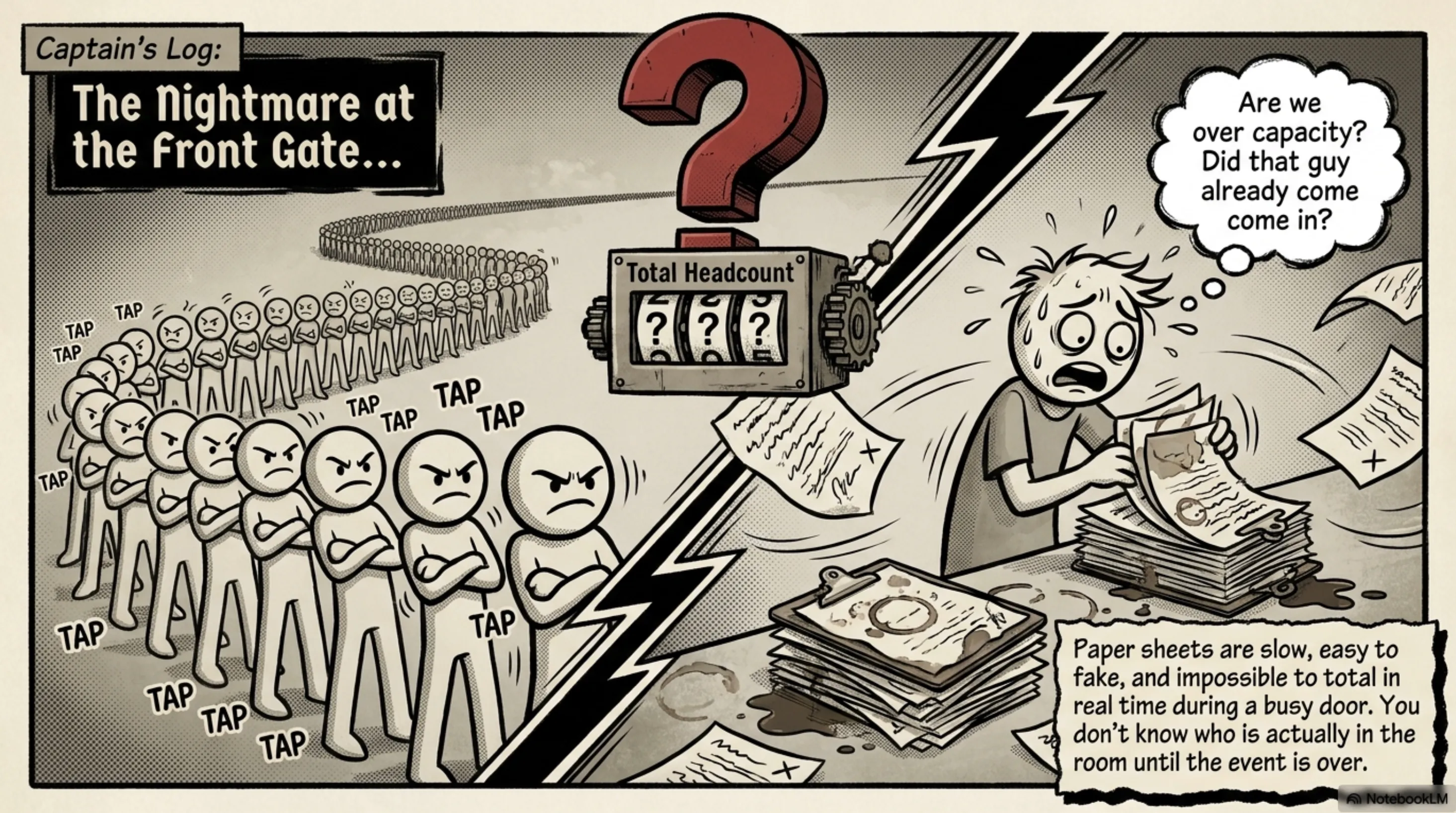
QR Code attendance tracking, each guest's unique QR ticket is scanned at the entrance, and the check-in is instantly recorded, so the headcount is always accurate. Paper sign-in sheets and manual lists are slow, easy to fake, and impossible to total in real time during a busy door. Scanning replaces guesswork with a live dashboard that shows exactly who has arrived, when, and at which gate.
Ticket Generator offers attendance tracking, giving every ticket a unique QR code, while flagging duplicates on the spot, and updating attendance numbers as guests walk in. You can export the full attendance record to Excel or PDF the moment your event ends, ready for sponsors, finance, or your post-event report.
Did You Know? Around
90% of employers now track attendance using digital tools like QR Codes,
reflecting how QR-based systems are becoming standard for workplace and event check-ins.
Source:
Ronspot Workplace Statistics Report (2026).
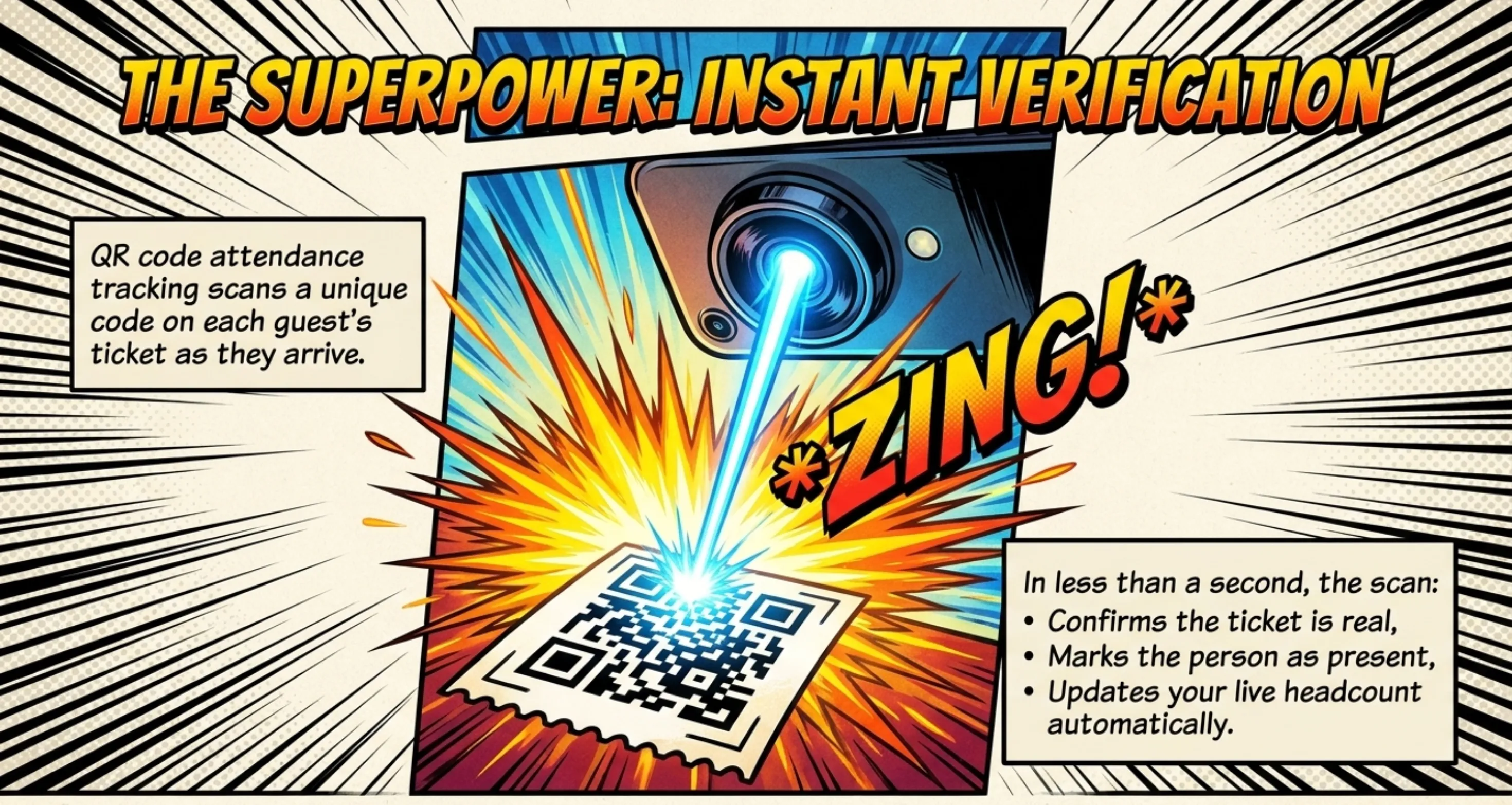
QR Code attendance tracking is simply the practice of scanning each guest's unique QR ticket as they arrive, so every entry is verified and counted automatically. The scan confirms the ticket is real, marks that person as present, and updates your live headcount in the same second.
That one change quietly fixes the three things that go wrong at almost every door: slow lines, fake or duplicate tickets, and a final number nobody trusts. Instead of counting heads at the end of the night, you watch attendance build in real time and walk away with a clean record.
In this guide I'll explain what QR code attendance tracking actually is, how the scan-to-report workflow runs end to end, why it beats manual sign-in sheets, what to look for in a system, and how to set it up for your next event in a few minutes.
What is QR Code attendance tracking?
QR Code attendance tracking is a method of recording who attends an event by scanning the unique QR code on each guest's ticket at entry.
When the code is scanned, the system checks it against your guest list, confirms whether it's valid, and logs that attendee as present, all without anyone writing a name down.
Every ticket carries its own QR code, which is really just a small block of data that a phone camera can read in an instant. Because each code is tied to one specific ticket, the system knows exactly which person walked through the gate and at what time.
This sits right alongside the broader world of QR code tickets and overlaps heavily with event ticket validation with QR codes. The difference is one of emphasis: validation asks "is this ticket genuine?", while attendance tracking adds "and who has actually shown up, right now?" Good systems do both in a single scan.
How does QR code attendance tracking actually work?
It works in one continuous loop: a unique QR code is created for each ticket, that code is scanned at the door, and the result is recorded live on your attendance dashboard.
Here's the full sequence, step by step.
A unique QR code is generated for every ticket. Each attendee receives their own code, not one shared code reused for everyone, so scans can never be confused between guests.
Tickets reach attendees on their phones. Guests get the ticket by email, SMS, or WhatsApp, or download it as a PDF, and simply bring it up on screen at the entrance.
Staff scan the code at the gate. A team member points a phone or tablet at the QR code. There's no special hardware to rent — any modern smartphone camera does the job.
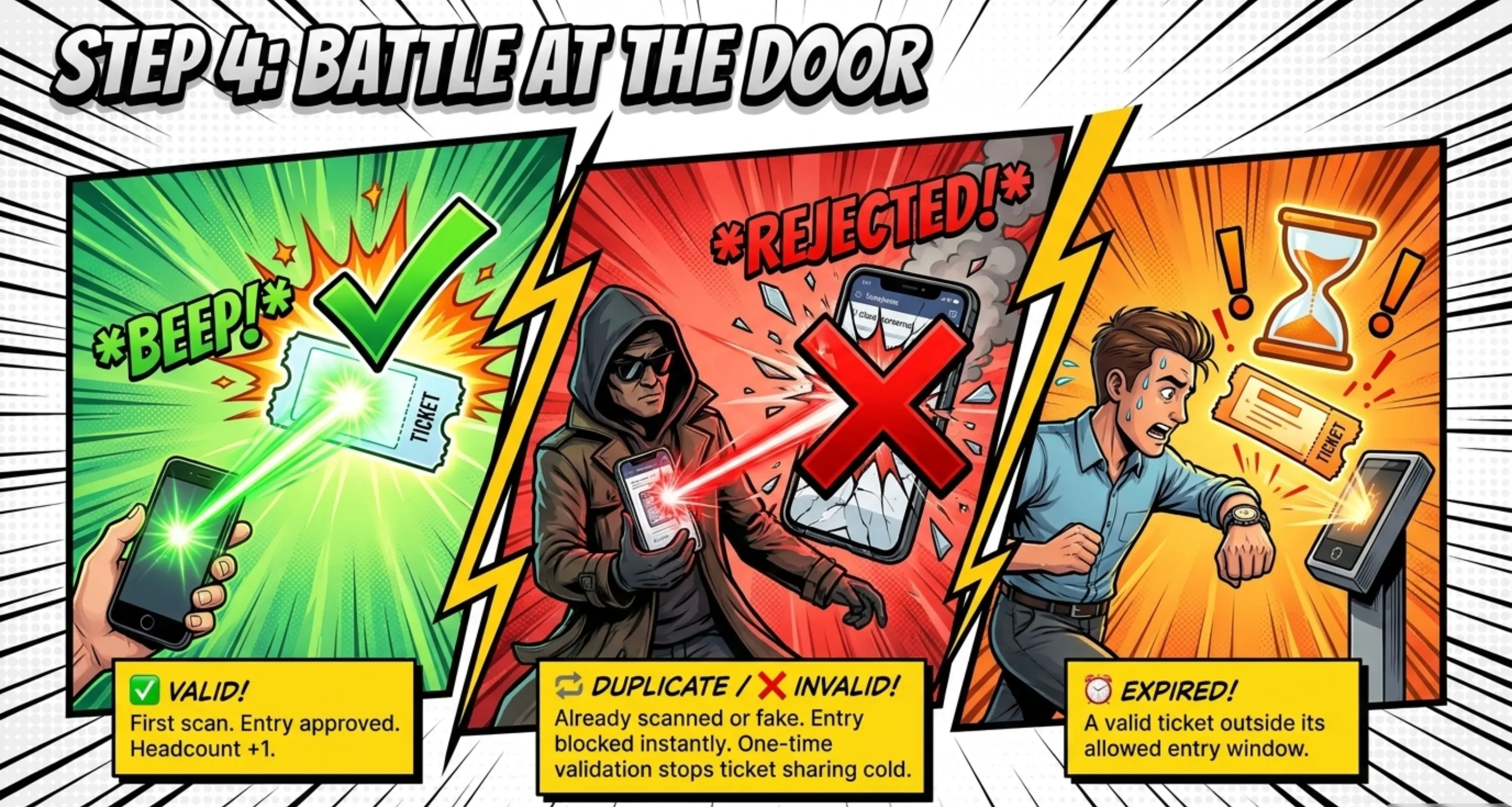
The system validates the ticket instantly. Within a second, the scan returns a clear result: valid, invalid, duplicate, or expired. Door staff know immediately whether to wave the guest through.
Attendance is recorded in real time. A valid scan marks that guest as present and updates your live headcount, so the number you see always matches the people in the room.
Data flows into your reports. Every check-in feeds an attendance report you can review during the event and export afterward.
Because the scan checks each code against a central record, the same ticket can't sneak in twice.
The second scan is flagged as a duplicate on the spot, which is exactly the protection a printed list can never give you. If you want a closer look at the scanning step itself, the guide to using a QR code scanner for event entry breaks it down.
Pro Tip: With
Ticket Generator, attendance syncs across every scanning device at once, so you can open several gates and still see one combined, accurate headcount in real time. That single shared count is what keeps multi-entrance events from double-counting or losing track.
Why is QR code attendance tracking better than manual sign-in sheets?
QR scanning beats manual sign-in because it's faster at the door, far harder to fake, and gives you a running total you can actually trust. A clipboard tells you names; a scan tells you names, times, gates, duplicates, and a live count, instantly. The contrast becomes obvious when you put them side by side.
What matters at the door
Manual sign-in sheets
QR code attendance tracking
Speed of entry
Slow — guests stop to find and write their name
Fast — one scan per guest, lines keep moving
Accuracy
Error-prone handwriting and missed names
Exact record of who entered and when
Fraud and duplicates
No way to catch reused or fake tickets
Duplicate or expired tickets flagged instantly
Live headcount
Unknown until someone counts by hand
Updates in real time as guests arrive
Multiple entrances
Separate sheets that must be merged later
All gates feed one shared, combined count
Reporting
Manual data entry after the event
Export to Excel or PDF in a click
None of this means paper has zero uses. A 12-person workshop can run fine on a list. But the moment your event grows past a few dozen guests, has a paid component, or needs a defensible final number, manual tracking starts costing you time and trust at exactly the wrong moment: the front door.
Ready to stop counting heads by hand? Try Ticket Generator to scan tickets from any phone and see your attendance update in real time instantly.
Set Up Event Ticketing and Distribution in Minutes!
First 10 tickets free | Free account | No credit card required
What should you look for in a QR code attendance tracking system?
Look for unique codes per ticket, built-in duplicate detection, a live attendance dashboard, multi-device scanning, and easy report exports. Those five features separate a real attendance system from a basic QR generator. Here's what each one buys you:
A unique code on every ticket. If two guests can carry the same code, your count is meaningless. Each ticket needs its own QR and its own ticket ID.
Duplicate and re-use detection. The system should flag a ticket the instant it's scanned a second time, so nobody passes one ticket back over a fence.
A real-time dashboard. You want to see arrivals climb as they happen, not reconstruct them after midnight.
Multi-gate, multi-device scanning. Several staff should be able to scan at once while the totals stay merged and consistent.
Clean exports and analytics. Attendance rate, entry times, and flagged attempts should download as Excel or PDF without manual re-typing.
This is also where a lot of organizers trip up. It's tempting to paste a free QR generator onto a ticket template and call it done, but that approach quietly breaks the moment you try to track attendance.
“The most common mistake we see is organizers using a generic QR generator and realizing that this way every attendee will have the same code. Also, those generators can't help you stop duplicates.”
— Anshul Singh Bisht, Head of Event Technology, Ticket Generator
In other words, a shared code can't tell two guests apart, and a static image can't catch a second scan. Attendance tracking only works when each code is unique and the system actively watches for reuse.
How do you set up QR Code attendance tracking for your event?
The first step is to find the right tool. I've already covered this in my guide comparing the best event ticketing systems. You set it up by creating your event, issuing QR tickets to your guests, scanning those tickets at the door, and watching attendance populate your dashboard in real time. With Ticket Generator, the whole flow takes minutes and needs no coding, so I'll be using it to explain the steps. The best part? Every ticket carries a unique, validatable QR code, so each scan is automatically logged as a check-in.
Here's the full sequence.
Step 1: Create your event and set the entry rules
Sign up on Ticket Generator with your email or Google account (no credit card needed), and your account starts with 10 free ticket credits. Click Create New Event and add the basics:
Event name
Date, time, and time zone
Venue or location
Free or paid tickets
This is also where you set the rules that your attendance data depends on later:
Single entry vs. re-entry: Decide whether one scan is final, or whether guests can leave and come back. Re-entry events count every valid scan, so your dashboard reflects movement, not just first arrivals.
Multi-day events: Ticket status resets at midnight, so each day's attendance is tracked separately.
Your event is now live in the system and ready for tickets.
Step 2: Design the ticket so every QR code is unique
Open the Ticket Design tab inside your event. You have three options:
Use a ready-made template: Just pick one by event type and you're done in seconds.
Customize the standard design: Drop in your logo, brand colors, background, and event details.
Upload your own design: Built a ticket in Canva or elsewhere? Upload it, and Ticket Generator embeds the QR code and ticket ID automatically. (You can also connect Canva directly and edit the design without the download-and-re-upload step.)
This step is what makes attendance tracking possible in the first place. Every ticket generated gets its own unique QR code and a unique ticket ID (no two are alike). That's what lets the system tell a real first-time entry apart from a duplicate or a forgery at scan time.
Pro Tip: Don't paste a static QR code from a free generator onto your ticket. Every attendee ends up with the same code, it can't be marked as used, and it can't flag a duplicate, so it can't track attendance at all. Ticket Generator embeds a unique, validatable QR code on every ticket automatically.
Step 3: Send tickets to your guests
Get tickets into attendees' hands using whichever method fits your event:
Generate and send: Enter email addresses or phone numbers; tickets go out instantly via email (in batches of up to 1,000 per send), SMS, or WhatsApp.
Generate and download: Export print-ready PDFs for physical handouts or box-office sales.
Share a registration link: Guests self-register on your event page and receive their ticket automatically after approval.
Generate via API: For developers automating ticketing at scale.
If you want everything to land at a set moment, say, 9 a.m. the week before, you can use Schedule Send to queue the entire batch and let it deliver on its own. And if a guest can't find their ticket, resend it instantly at no extra charge using their email, phone number, or ticket ID.
Step 4: Set up your scanning points and add coordinators
Decide how your team will scan on the day. You have two options, no special hardware required:
Ticket Validator app: Free on iOS and Android, running on any staff smartphone.
Then add your team as coordinators from the dashboard. Each coordinator gets access on their own phone, scoped to this event only; they can scan and check guests in, but they never see your full dashboard or your other events. Multiple coordinators can scan at the same time across several entry points, so a busy door never bottlenecks on one device.
Note: the validator needs an internet connection to confirm each ticket against your live event record, so make sure your entrances have a working signal or Wi-Fi.
Step 5: Scan guests in as they arrive
On event day, each coordinator opens the app (or web validator), selects your event, and taps Scan QR Code. Point the camera at the attendee's ticket on their phone screen or a printed copy and the result appears instantly:
✅ Valid — first scan, entry approved and the guest is checked in.
🔁 Duplicate — already scanned, entry blocked.
❌ Invalid — not a real ticket for this event.
⏰ Expired — a valid ticket outside its allowed entry window.
Every valid scan is recorded as a check-in the moment it happens. Duplicate and unauthorized attempts are flagged on the spot so your team can step in before anyone slips through.
Step 6: Track attendance live, then export the report
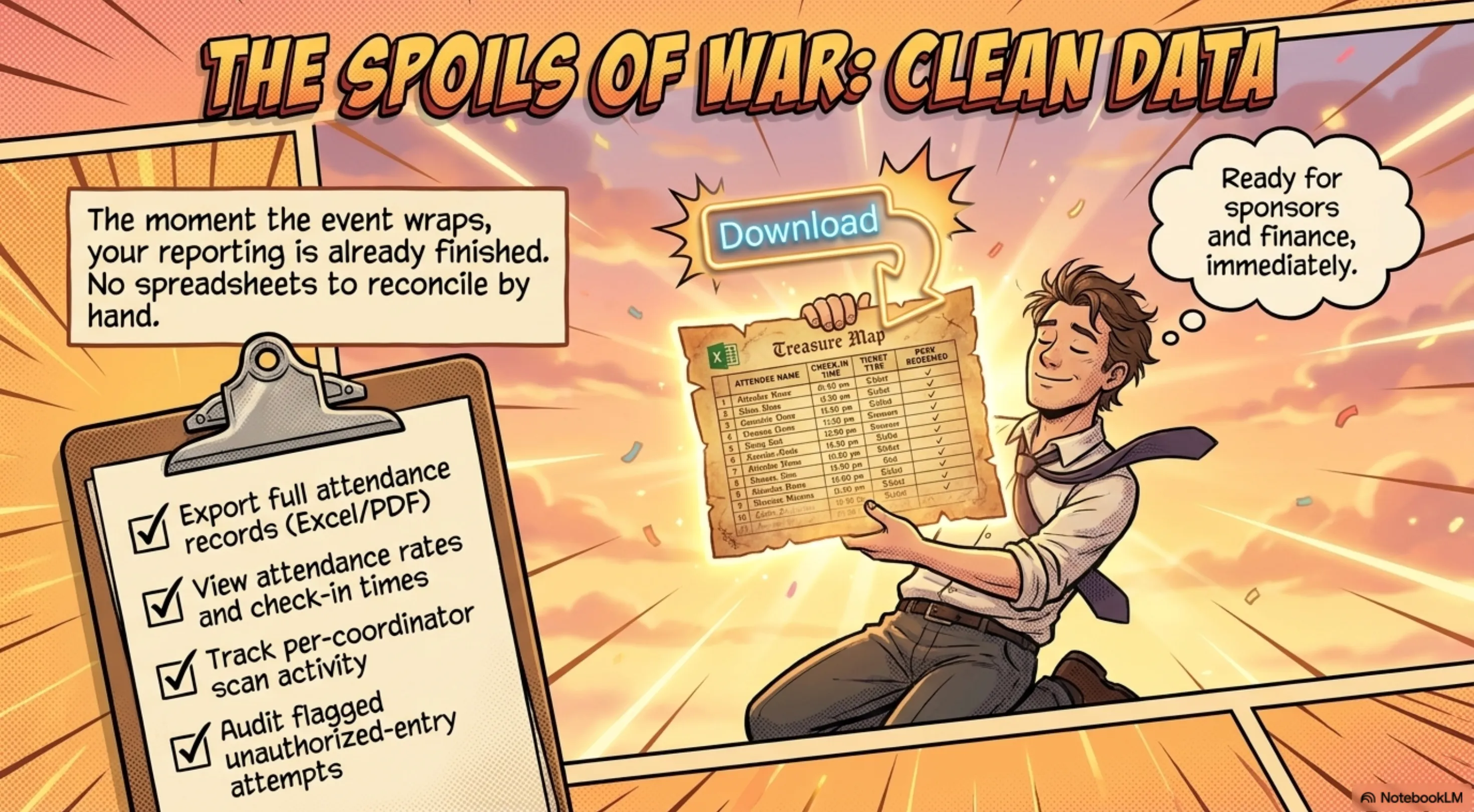
This is the payoff. Open the Analytics tab and watch arrivals update in real time as your coordinators scan. Across the event you can see:
Total tickets issued vs. tickets scanned (your live attendance rate)
Check-in times and peak entry periods
No-show count
Per-coordinator scan activity
Flagged unauthorized-entry attempts
When the event wraps, export the full attendance record as Excel (XLSX) or PDF for post-event review, sponsor reporting, or planning your next event. No spreadsheets to reconcile by hand, the data is already clean.
Pro Tip: If you sell perks like lunch or parking, set them up as Add-ons in Ticket Generator. Each Add-on gets its own scannable validation linked to the ticket, so you can track not just who attended, but who actually redeemed each perk.
One honest note on connectivity: real-time tracking needs the scanning device to be online, since each check-in syncs to your live dashboard the moment it happens. For almost every venue that's a non-issue, but it's worth confirming you'll have a stable connection at the gate.
Set Up Event Ticketing and Distribution in Minutes!
First 10 tickets free | Free account | No credit card required
How Ticket Generator makes QR Code Attendance Tracking effortless?
Ticket Generator gives organizers everything needed to manage attendance from registration to check-in, all in one platform.
Registration & ticketing: Create custom registration forms, collect attendee information, run approval workflows, and automatically issue tickets with unique QR codes and ticket IDs.
Secure validation: Scan tickets using any iOS, Android, or web browser. Duplicate scans are flagged instantly, preventing ticket reuse while supporting re-entry when needed.
Multi-gate check-in: Multiple staff can scan simultaneously across entrances while sharing a single real-time attendance count.
Branded ticket experiences: Design tickets with the drag-and-drop editor, Canva integration, or AI-powered ticket generation.
Flexible distribution: Deliver tickets via email, SMS, or WhatsApp, with scheduled sending and digital ticket links included.
Additional revenue streams: Sell scannable add-ons such as parking, meals, merchandise, VIP access, or workshops alongside tickets.
Real-time insights: Track attendance, conversions, coordinator activity, and unauthorized entry attempts with exportable reports.
Built for growth: Connect with tools like Zapier, Mailchimp, HubSpot, Google Analytics, Google Sheets, and more through integrations and APIs.
More Than Ticketing: Most ticketing platforms stop at issuing and scanning tickets. Ticket Generator helps you register attendees, design tickets, promote events, sell add-ons, validate entry, analyze performance, and automate workflows, all from a single platform.
The proof is in how organizers already use it. Antioch University runs QR check-in across its events (staff scan tickets right from a phone) and has issued 1,700+ tickets through the platform. On a larger scale, DART (Dallas Area Rapid Transit) relies on Ticket Generator for multi-location access control with real-time tracking across sites. Across the platform as a whole, organizers have generated over 1,000,000 tickets across 30,000+ events in 100+ countries.
Because pricing is credit-based with zero commission on sales, your costs stay predictable no matter how many people you scan in, you pay per ticket generated, not a cut of every entry. If you want to see the live numbers in action, the event attendance tracking dashboard shows what real-time check-in data looks like, and the QR code check-in guide walks through the door experience.
In short, Ticket Generator turns attendance from a guessing game into a clean, verifiable record, from the first scan to the final exported report.
Conclusion
QR code attendance tracking comes down to one simple shift: instead of writing names on a list, you scan a unique code and let the system do the counting. That single change makes entry faster, blocks duplicate and fake tickets, and gives you a live, trustworthy headcount.
Paper sheets still work for the smallest gatherings, and no system removes the need for a friendly face at the door. But for any event with real numbers, money, or reporting on the line, scanning is the calmer, more accurate way to run entry. You stop reconstructing attendance after the fact and start watching it happen, then walk away with a report that's ready to share. Ticket Generator brings that whole loop together in one place.
Try Ticket Generator to track attendance in real time, scan tickets from any phone, and export clean reports the moment your event ends. Your door, your data, your headcount - verified.
Set Up Event Ticketing and Distribution in Minutes!
First 10 tickets free | Free account | No credit card required
Does QR code attendance tracking require special hardware?
No, any modern smartphone or tablet can scan QR tickets. With Ticket Generator, staff use the free Ticket Validator app on iOS or Android, or a web browser, so there's no need to buy or rent dedicated scanners.
Can two people use the same QR code to get in?
Not on a proper system. Each ticket carries a unique QR code, and the first valid scan checks that guest in. If the same code is scanned again, it's flagged instantly as a duplicate, which stops ticket sharing at the gate.
How does QR code attendance tracking give a real-time headcount?
Every successful scan marks an attendee as present and updates a shared dashboard immediately. Because all scanning devices feed the same record, you see one accurate, combined headcount even when several entrances are open at once.
Does it work for free events and registrations too?
Yes. Whether you send tickets directly, collect free registrations, or charge for entry, each issued ticket gets a scannable QR code. Attendance tracking works the same way across all three modes in Ticket Generator.
Can I export the attendance data after my event?
Yes. Ticket Generator lets you export the full attendance record, including entry times, attendance rate, and any flagged entry attempts, as an Excel or PDF file, ready for sponsors, finance, or your post-event report.
Ashish Chandra has spent 5+ years writing about event technology, covering topics such as ticket design, QR check-ins, attendee management, and event marketing strategy. As the Content Lead at Ticket Generator, Ashish has analyzed hundreds of real-world event workflows and ticketing setups, helping organizers across industries use QR-based tickets, event landing pages, and smarter ticketing systems to run smoother, better-attended events.
His writing is shaped by real user needs and the questions organizers ask most often: How do I sell more tickets? How do I avoid chaos at the door? How do I make my next event better than my last?
When he steps away from the screen, you'll likely find him hiking a quiet trail or tending his plants- his preferred way to reset.






.png)






.webp)

.svg)
.svg)
