A QR code ticket generator creates scannable tickets that help prevent duplication and fraud.
It enables fast, contactless check-ins for both small and large events.
You can track attendance, scans, and entry data in real time.
Dynamic QR tickets can be updated even after printing or sending.
Tools like
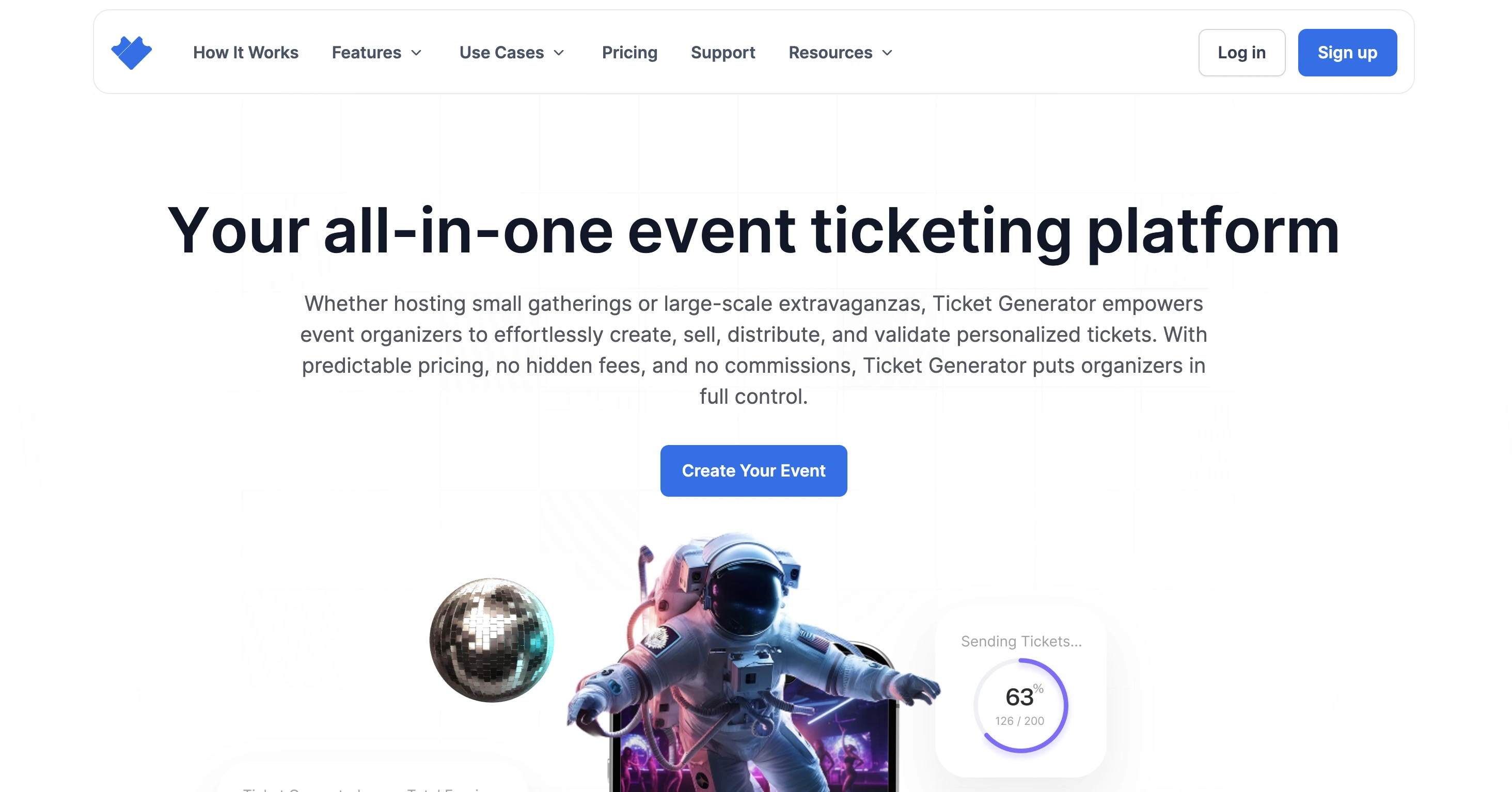
Ticket Generator
let you create, sell, and validate tickets from one dashboard.
Imagine you are planning to organize an event. It could be a graduation event, a conference, a birthday bash, or any other event.
So you'd like to ensure your guests face no issues and the event goes smoothly. That's why you're looking for a smart QR Code ticket generator. And why not?
Key Stat: The global online event ticketing market is forecast to grow from $54.60 billion in 2023 to $98.40 billion by 2033, achieving a 6.07% CAGR during this period. (Spherical Insights)
With a single scan, QR Code tickets beat paper passes on every front. Be it security, speed, or cost.
In this guide, you will learn how to use a QR Code ticket generator to create QR Code ticketsthat are secure, easy to manage, and professional for better event security and efficient ticket validation.
Tip: Start planning your event ticketing at least 4–6 weeks before your event date to give yourself plenty of time to design, distribute, and test your QR Code ticket system.
A. Understanding QR Code tickets and their benefits
1. What does a QR Code ticket generator do?
A QR Code is a square, two-dimensional barcode that stores far more information than a traditional barcode and can be scanned instantly by any smartphone—no extra hardware required.
With traditional ticketing, validation is noticeably slower, often causing long queues, while also wasting paper and offering weaker security.
QR Code Tickets solve the exact problems mentioned above: they protect your reputation, prevent long queues that frustrate guests, and keep every attendee safe.
Want to know how?
Let's see:
2. QR Code ticket generator vs a normal QR Code generator
A normal QR code generator makes a code that points to a link. That is useful. But it is not full ticketing.
A QR Code ticket generator does more, it:
Creates one unique QR per ticket
Adds a ticket ID behind the scenes
Lets you validate tickets at the gate
Shows attendance and scan data after the event
If you only need “a QR Code on a flyer,” a basic generator is fine. But, If you need secure entry, you want a real ticket generator.
3. Key benefits of QR Code tickets for event security
Touch-free scanning with any phone: No expensive equipment needed (just the Ticket Validator app)
Real-time attendance dashboards: Monitor capacity, manage emergency protocols, and collect valuable data for future planning
Tip: Create a short video tutorial showing attendees how to access and use their QR Code tickets, then include the link in your ticket confirmation emails to reduce confusion on event day.
4. Which events benefit most from QR Code tickets?
QR Code tickets help most when you need fast entry and controlled access.
They work great for:
Concerts and festivals (big crowds, fast gates)
Conferences and workshops (badges, sessions)
School and college events (simple check-in)
Charity events (easy tracking)
Corporate events (restricted entry)
If your event has a queue, QR Code tickets help.
B. How to choose a QR Code ticket generator?
1. Essential Features to Consider
While there are many options online, here’s the checklist of features an ideal QR Code ticket generator should offer:
I. Unique QR Code on each ticket
Each code must hide a unique ID. A quick phone scan gives a yes-or-no answer in about two seconds. This fast ticket validation locks out fake or reused passes and keeps the line moving. Guests walk in feeling calm, not crowded.
II. Ticket design customization
You can upload a full-bleed ticket artwork (from Canva, Photoshop, etc.) or pick a ready template. The platform then automatically places the QR, ticket number, and any variable text on top of that design.
A live preview shows the exact look before you save, so style never clashes with safety. This makes your QR Code tickets both secure and on-brand.
III. Opportunity to add variable details to each ticket
You should be able to add common event details to all the tickets, such as event description, venue, timings, instructions, etc.
But at the same time, your ticketing platform should also help you add variable information to each ticket. This could include guest name, ticket category details (such as platinum, gold, and silver), seat number, row number, etc.
So, go for a QR Code ticket generator that provides you with these options to make the ticket generation process better.
IV. Digitalized ticket distribution
If you want to hand out printed tickets, that's okay. But also make sure your ticket generator allows you to distribute digital tickets.
This could mean sending the guest's tickets digitally via:
a) WhatsApp
b) Email
c) SMS
When you send tickets digitally, you get to save paper to reduce your carbon footprint. Given people's awareness of eco-friendly initiatives and environmental safety, such initiatives help leave a positive impact on your guests.
That means digital convenience coupled with a strong rapport with the audience.
V. Event data tracking or attendance tracking
It is always fulfilling to see a heavy attendance at your webinar, seminar, parties, etc., right?
So, make sure your ticketing platform helps you track event attendance data (with solid numbers).
Once the event is over, you should be able to check the analytics for total attendance, tickets validated, busiest hours, etc.
With this data, you can make informed decisions for your next event.
VI. Other advanced features
To take your event to the next level, look for these advanced capabilities that go beyond basic ticketing:
Mobile-optimized event page builder: Design a shareable landing page with event descriptions, images, maps, social-share buttons, and fully customizable registration forms, all without writing a line of code
Automated registration & ticket issuance: Collect attendee details via custom fields, then instantly generate and send unique QR-Code tickets, no manual downloads or spreadsheets required
Integrated payment gateway & instant payouts: Plug in your Stripe or PayPal account to handle payments natively. Ticket revenue lands in your bank as soon as a sale closes, no monthly fees, no hidden commissions
Real-time analytics & exports: Track registrations, sales, check-ins, and attendance live on your dashboard and export detailed CSV reports for deeper analysis
VII. Quick security checklist before you choose a tool
Most ticket problems are simple: the code gets shared, or a screenshot goes viral. So before you pick a QR code ticket generator, check for these security controls:
1) One scan = one entry
The system should mark a ticket “used” after scanning.
2) Scan limits and re-entry rules
For some events, you may want one entry only. For others (multi-day), you may allow re-entry with rules. Many event QR systems support scan limits.
3) Easy re-issue for lost tickets
If a guest loses the ticket, you should be able to re-send a fresh one quickly.
4) Real-time scan logs
You should see when and where a ticket was scanned. This is useful for security and staffing.
If a tool can’t do these, it’s not built for secure events.
Together, these features give you a fully branded, end-to-end event solution from page creation and ticketing to entry management and insights—so you can focus on delivering an unforgettable experience.
Tip: Before committing to a platform, use their free trial option to test the entire process from ticket creation to validation, ensuring the system works with your specific event requirements.
VIII. Simple, pay-as-you-go pricing
While you should watch out for all the amazing features, also make sure you don't end up burning a hole in your pocket.
So, look for a QR Code ticket generator that's not too expensive or requires a fancy setup installation. This would only mean leaving money on the table when you could've gone for a better solution.
For example, Ticket Generator offers you all these features. And all you need to pay for is the number of tickets you create.
Neither any subscription is required nor any hidden commissions. Just pay as you go!
We've now seen all the important features that your ticket generator must offer. Let's move on to the next step.
2. Comparative overview of top QR Code ticket generators
Platform
Pricing
Custom Templates
QR Code Check‑In
Customer Support
Free Trial
Payment Methods
Reporting
API
Ticket Generator
$0.25–$0.60 per ticket
Available
Available
Available
First 10 tickets free
Stripe, PayPal
Available
Available
Ticket Tailor
$0.22–$0.60 per ticket
Available
Available
Available
First 5 tickets free
Stripe, PayPal, Square
Available
Available
Eventbrite
$0.61 + 6.95% per ticket
Available
Available
Available
Free for free events
Credit/Debit, PayPal
Available
Available
Ticketspice
$0.99 + 2.9% + $0.30
Available
Available
Available
N/A
Credit Card, Cheque
Available
Available
Ticketleap
$1 + 2% of ticket price
Available
Available
Available
Free for free events
Google Pay, Apple Pay
Available
Available
Universe
$1.99 + 2.5% per ticket
N/A
Available
Available
Free for free events
PayPal
Available
Available
Purplepass
$0.99 + 2.5% of price
Available
Available
Available
Free for free events
Touchnet, PayPal
Available
Available
Ticketbud
$0.99 + 2% + 2.9% + $0.30
Available
Available
Available
Pay after first sale
Stripe, PayPal
Available
Available
Eventbee
$1.00–$3.50 per ticket
Available
Available
Available
Not Available
Stripe, PayPal, others
Available
N/A
Ticketsource
7% + VAT
Available
N/A
Available
N/A
Multiple options
Available
Available
Yapsody
$0.59–$0.98 + 1.75–2.49%
Available
Available
Available
N/A
PayPal, Stripe, Square
Available
N/A
Showpass
1% + $0.59–$1.69
Available
Available
Available
Free for free events
Square
Available
Available
Price is often the first detail planners check, but it is only one piece of the puzzle when rating QR Code ticket generators.
Low-fee QR Code ticket generators like Ticket Tailor, Ticket Generator, and Ticketspice reduce upfront costs, while higher-priced tools may wrap more support or marketing features into their per-ticket charge.
Greg Berry, Director of Communications, Office of Alumni Affairs, University of Alabama, Birmingham says about Ticket Generator:
“We started using Ticket Generator years back and are very pleased with our experience. They have continued to improve their product to adapt to an ever-changing market. Whenever we have faced an issue, we have received full support to resolve our problem quickly.”
Looking at features beyond pricing, almost all platforms offer QR Code check-in capabilities, but their implementation quality varies. Ticket generator stands out with its dedicated Ticket validator app that works even without an internet connection.
Tip: Before committing to a platform, use their free trial option to test the entire process from ticket creation to validation, ensuring the system works with your specific event requirements.
C. Generate QR Code tickets using Ticket Generator
Below is a seven-step flow. Follow it from sign-up to post-event review and you will get fast scans, strong event security, and clear reports.
1. Choose Ticket Generator as the QR Code ticket platform
Ticket generator offers a complete solution for creating secure, professional QR Code tickets. The platform stands out with its affordable pricing structure, starting at just $0.25 per ticket, and robust security features.
Unlike other platforms that charge percentage-based fees, Ticket Generator uses a simple per-ticket pricing model, making costs predictable even for large events.
The platform excels at ticket validation with its dedicated mobile app that can scan tickets even without an internet connection—a crucial feature for venues with poor connectivity.
2. Sign up and set up your event
Go to the site and click sign up. Use Google, Apple, or email
On the manage events page, choose create new event and fill in: name, date, venue, time zone, and event type
Pick free or paid tickets, then choose single-use (one entry) or multi-use (re-entry) passes
Add any ticket categories: general, vip, early bird and hit create
3. Design your ticket
Open the ticket design tab
Upload full artwork or pick a template
Add logos, brand colours, and sponsor art
Check that the ticket shows event name, date, venue, and ticket type
Make sure each pass has its QR Code, a serial number, and if you need it, the guest name for extra ticket validation
Preview and click done
4. Build the registration page
Click the event page tab
Add title, description, banner image, organiser contact, and form fields (name, email, phone)
Set limits per buyer, turn on manual approval if needed, and switch on email alerts for new sign-ups
Press the generate link and share it by email, social media, or your website
5. Distribute the tickets
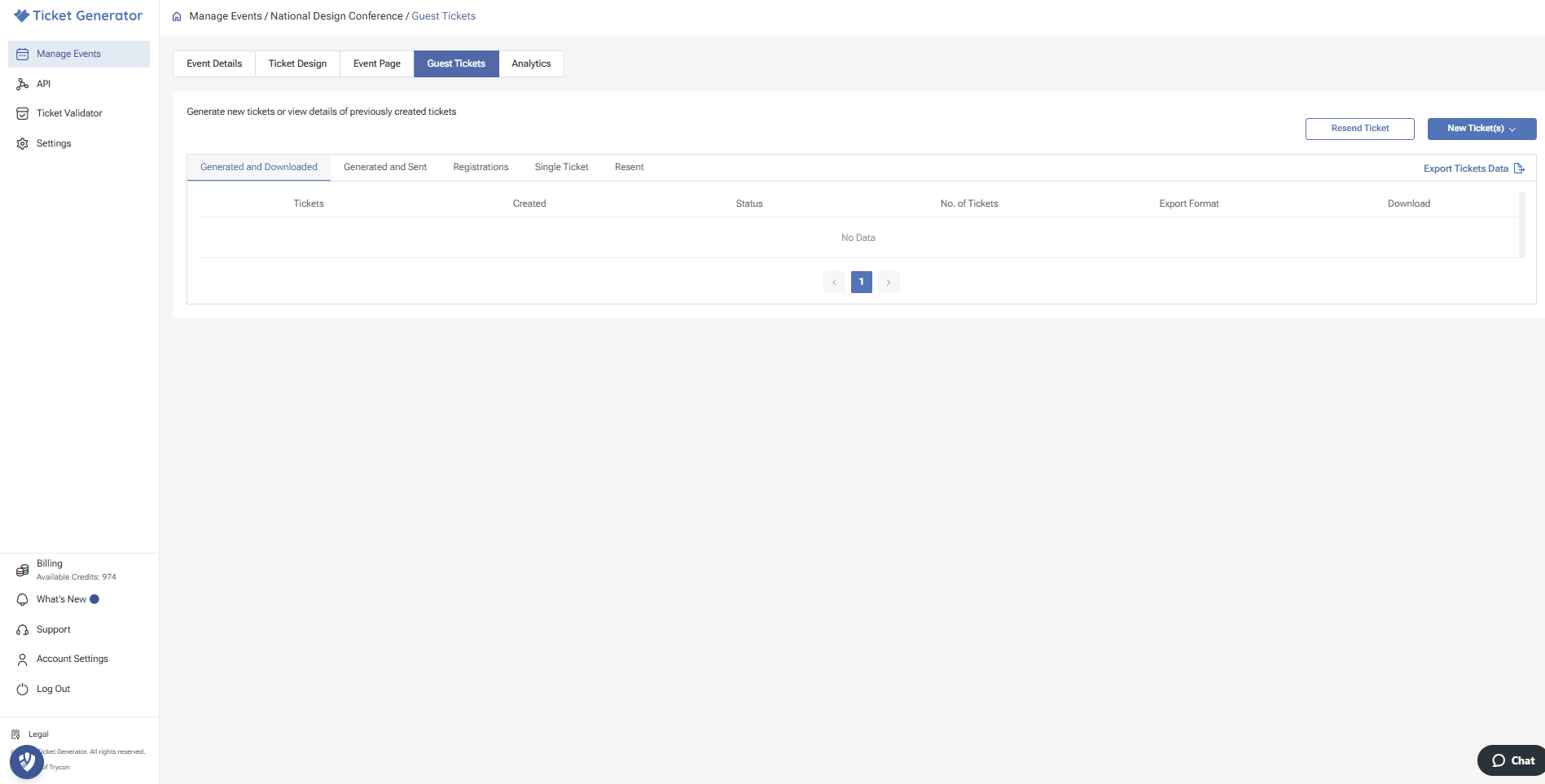
Go to guest tickets and press new ticket(s)
Choose how you will send: email, sms, WhatsApp, or a printable PDF link
Click generate and send for digital delivery or generate and download for print copies
6. Track ticket sales and manage registrations
Ticket generator's dashboard provides real-time data on ticket sales, allowing you to monitor registration progress. You can see how many tickets have been sold, which ticket types are most popular, and when sales tend to peak.
This information helps you make data-driven decisions about marketing efforts. If one ticket type isn't selling well, you might offer a limited-time discount or bundle it with special perks.
This QR Code ticket generator also allows you to export attendee information, which can be useful for planning seating arrangements, catering requirements, or follow-up communications.
7. Set up the QR Code validation process
By now, you know how QR Code ticketing works. It's about time that you learn how to validate tickets created via Ticket Generator.
Tip: To save time, add your team members as coordinators in Ticket Generator. This authorizes them to validate tickets directly.
Now, let's follow the following steps:
Click on the ‘Manage Event’ section after you go to the dashboard
Now choose the event for which you want to validate your tickets
Then click the ellipsis button or the three horizontal dots, which you can locate under the ‘More’ heading
Upon completion of the above step, click on Add/Edit Coordinator
Carefully specify the email address of each coordinator. Next, each coordinator will receive an email invitation. Using it, the coordinators can install and log in to the Ticket Validator app on their phones.
After installing the app, choose the event you want to validate tickets for
Now you just need to click on the Scan QR Code and begin with the ticket validation process!
D. Common QR Code ticket mistakes to avoid
1. Technical set-up
Keep every code at least 2 × 2 cm so phones can read it in one try. Test scans on several devices—both in bright light and low light—before sending out your QR Code tickets.
2. Design & layout
Skip crowded art and tiny text. Put event name, date, and seat info in large type. Leave a clear white border around the code; scanners need that open space to lock on fast.
3. Process & training
Show every staff member how to scan and how to spot a used or bad code. Keep one printed list of guest names and codes in case the Wi-Fi drops, so ticket validation can switch to manual mode.
Tip: Print one small spreadsheet with guest names and codes. If scanners fail, staff can tick off entries by hand and keep your doors moving.
E. What to do if a ticket is lost or shared?
This happens a lot. Someone deletes the email. Or they forward the QR to a friend.
Here is the clean way to handle it:
1) Re-send the ticket first
Most guests just need the link again.
2) Re-issue a new ticket if needed
If you suspect the QR was shared, issue a new ticket and disable the old one. This is how many event QR flows stay secure.
3) Keep a backup check-in option
Have a printed guest list or a simple “search by name” option. If scanning fails, entry does not stop.
This keeps lines moving and avoids gate drama.
F. Real-life success stories with QR Code tickets
QR Codes have changed the way events flow, from big festivals to small fundraisers. The cases below show the range of gains you can expect.
Case Studies & Outcomes
Setting
What Changed
Key Results
Major Music Festival (15,000 guests)
Swapped paper passes for QR codes
Entry speed ↑ 40%; no fake tickets; lines stayed short
National Business Conference
Added tiered codes (General, VIP, Speaker)
Real-time scan data let staff move to crowded sessions; attendees rated check-in smooth and professional
University Workshop Series
Issued QR codes to track student attendance
Certificates issued only to students who met session requirements
Pro-Sports Stadium
Enabled QR code validation at every gate
Average entry time fell from 45 min to 15 min; scan log flagged attempted scalping
Community Fundraiser (Low Budget)
Used a drag-and-drop QR code ticket generator
Saved printing costs; gave donors a premium-looking pass; freed more budget for the cause
Tip: Ask previous event attendees to share their positive experiences with your QR code tickets on social media, creating social proof that can boost confidence in your ticketing system for future events.
F. FAQs
Here are some commonly asked questions about QR Code tickets that one may have.
1. How can I use a QR Code-based ticket?
Open the ticket on your mobile, or you can print it out
Now, at the entrance, you can show the ticket to the event coordinator
The QR Code will be scanned at the entrance, and you'll get an entry
2. What can I understand from a QR Code-based ticket?
QR Code-based tickets are smart tickets that not only work as entry passes but also prevent unauthorized guests from entering your event.
These tickets come with a QR Code that stores details unique to each ticket. At the entry, this QR Code is scanned to check if the ticket is valid or not.
3. What can I do if I lose my phone's battery or am unable to access my QR Code ticket?
As a guest, you can take precautions. For example, you can either carry a physical copy of the ticket or save it on a secondary device.
Or you can also reach out to your event organizer, asking them to reissue you a ticket copy.
4. Are QR Code-based tickets reliable for the security purposes of my guests?
Yes, QR Code-based tickets are secure and don't need the guests to share any sensitive information on their own
Also, with a QR Code in place, no trespassers can gain entry to your event premises
5. What should I do if I am unable to scan my QR Code tickets?
Ensure high screen brightness
Ensure a crack-free screen
In case it still doesn't work, you can manually use the Unique ID present under the QR Code. Just make sure that rather than choosing the "scan" option in the Ticket validator app, you choose to enter the unique ID. This way, you'll still be able to validate entries.
6. Can QR Code tickets work for both in-person and online events?
Yes, QR Code tickets work well for both physical and virtual events. For online events, attendees can use the QR code to access a secure link that directs them to the virtual event platform. The same validation process ensures only registered participants can join.
7. Do QR code tickets expire?
They can. You can set the event date, and stop scans after the event ends.
8. Can I limit scans to one per ticket?
Yes. Good ticket QR systems support scan limits so a code can’t be reused.
9. What if someone uses a screenshot?
If each ticket is validated and locked after use, screenshots stop working after the first scan.
10. How do I send tickets to guests?
Most tools support email and sharing links, and some support other channels too.
11. Can I track attendance and peak entry times?
Yes. Many tools show scan analytics like totals and timing.
12. Can I customize the ticket design?
Yes. Choose a tool that lets you add your branding and keep the QR easy to scan.
G. Conclusion
QR Code ticket generators have revolutionized event management by offering enhanced security, faster check-ins, and valuable data insights. As we've seen, these digital solutions solve many of the problems that plague traditional ticketing systems.
In this article, we have understood what a QR Code ticket generator is, the features it must have, and how it works. You're now ready to go ahead and create tickets of your own.
By choosing a reliable platform like Ticket Generator, event organizers can create professional, secure tickets that improve the experience for both staff and attendees.
The simple step-by-step process makes implementation accessible even for those with limited technical experience.
Whether you're planning a small gathering or a large-scale event, QR Code ticketing offers the flexibility, security, and efficiency needed for success in today's digital world.
Ready to transform your event management? Start creating your first QR Code tickets today and experience the difference for yourself.
Make Your Events Awesome With Weekly Insights!
G. Conclusion
QR Code ticket generators have revolutionized event management by offering enhanced security, faster check-ins, and valuable data insights. As we've seen, these digital solutions solve many of the problems that plague traditional ticketing systems.
In this article, we have understood what a QR Code ticket generator is, the features it must have, and how it works. You're now ready to go ahead and create tickets of your own.
By choosing a reliable platform like Ticket Generator, event organizers can create professional, secure tickets that improve the experience for both staff and attendees.
The simple step-by-step process makes implementation accessible even for those with limited technical experience.
Whether you're planning a small gathering or a large-scale event, QR Code ticketing offers the flexibility, security, and efficiency needed for success in today's digital world.
Ready to transform your event management? Start creating your first QR Code tickets today and experience the difference for yourself.
Jayanshu writes for one reason: to help you create better events. He breaks down the complex world of event management—from ticketing and marketing to attendee engagement—into simple, step-by-step guides. Forget the theory; his articles are all about practical advice you can put into action immediately to make your next event a success.




%20(1).webp)
.webp)
.webp)



.png)

.png)






.webp)

.svg)
.svg)
