Key Takeaways: A thank-you email after a successful event is a short message sent to guests within 24 to 48 hours of the event ending. Keep it personal, reference a real moment from the event, and end with one clear next step. When done right, a post-event thank-you email boosts repeat attendance, sponsor renewals, and word-of-mouth referrals. Templates can speed things up, but they only work when personalized with real names, real numbers, and a real moment. With
Ticket Generator, you can send post-event thank-you emails directly using the built-in Campaigns feature or automate advanced workflows using Zapier.
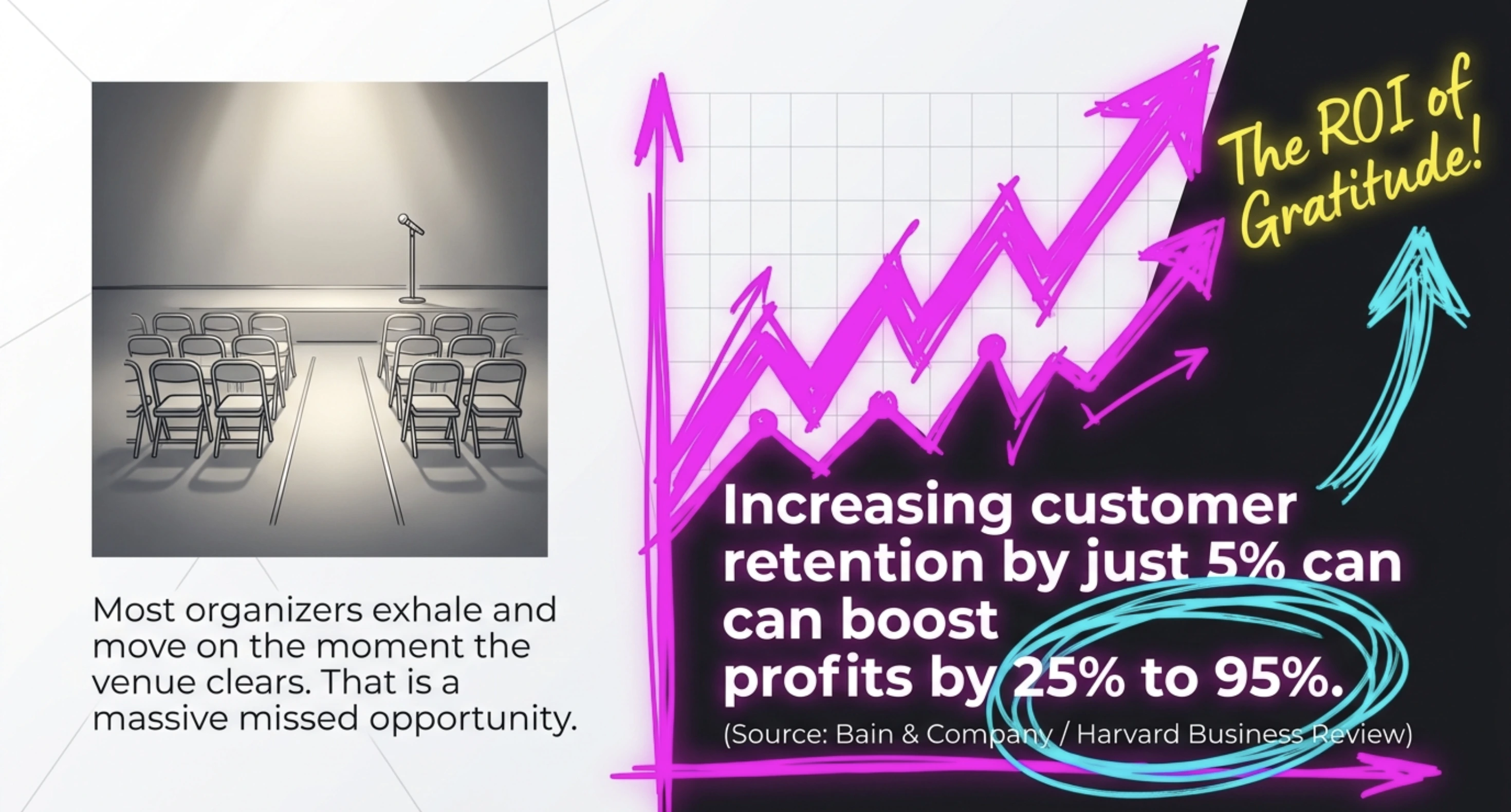
After the last attendee leaves and the venue is cleared, most organizers exhale and move on. That's a missed opportunity.
The 48 hours after an event are when goodwill is highest, and a single, well-written thank-you email can convert that goodwill into next year's RSVPs, sponsor renewals, and referrals.
According to research from Bain & Company, originally published in Harvard Business Review (1990), increasing customer retention by just 5% can boost profits by 25% to 95%. For events, the same logic applies: attendees who feel acknowledged are far more likely to come back.
A thank you email after a successful event is a brief, personal message sent to your attendees, sponsors, speakers, or volunteers within 1 to 2 days of the event ending. It has three jobs: express genuine gratitude, recap a shared moment, and point the reader toward one clear next step.
In this guide, I’ll tell you exactly what to include, when to send, templates for every audience, and how tools like Ticket Generator help you send thank you emails to large guest lists in one go.
First things first.
What is a thank you email after a successful event?
A thank you email after a successful event is a short follow-up message sent to attendees, sponsors, speakers, or volunteers within 1 to 2 days of the event.
Its purpose is to acknowledge participation/show gratitude, share a quick recap, and open the door to future engagement.
Unlike a generic newsletter, a good thank you email is:
Personal: addressed to the recipient by name, not "Dear valued attendee"
Specific: references something that actually happened at the event
Brief: usually 100 to 200 words
Action-oriented: ends with one clear next step
A good thank you email reads like a note from a host who actually saw you at the door,. not a corporate broadcast.
Why does a post-event thank you email matter?
A post-event thank you email matters because it converts one-time attendees into long-term advocates. The window right after an event is the only time emotion, memory, and intent line up, and trust me, as someone who has been in this industry for the past 5 years, it doesn't last long.
For attendees - A thank you email increases the chance they recommend you, leave a review, or a ticket to your next event.
For sponsors - A thoughtful note with attendance numbers and engagement data is the first step in a renewal conversation.
For speakers - Acknowledging their time builds the relationship for future events and referrals.
For volunteers -Recognition is the currency that keeps them coming back, often year after year.
Skipping the thank you email tells your audience the event ended at the door. Sending one tells them they were part of something that mattered.
When should you send a thank-you email after an event?
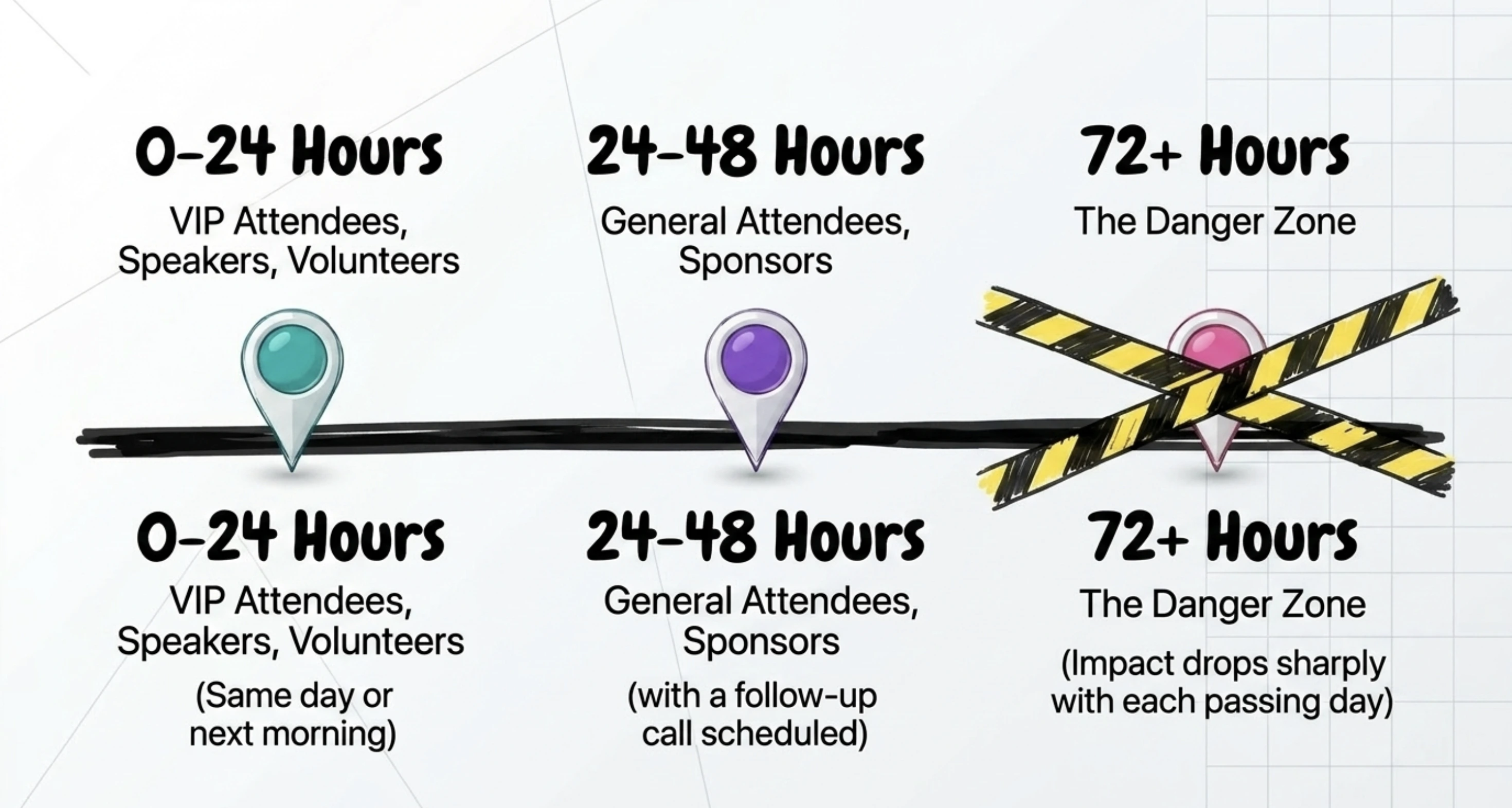
You should send a thank you email within 24 to 48 hours of the event ending. This is the window when memory is fresh, photos are still being shared, and emotion is high.
The exact timing depends on the recipient:
Recipient
Ideal Send Time
Attendees (general)
Within 24 to 48 hours
VIP attendees
Within 24 hours
Sponsors
Within 48 hours, with a follow-up call scheduled
Speakers
Within 24 hours
Volunteers
Same day or next morning
Waiting longer than 72 hours signals an afterthought. The email still helps, but its impact drops sharply with each day that passes.
Pro Tip: Draft your thank-you email before the event happens. Write the message, leave placeholders for recap details (a photo, a stat, a memorable moment), and queue it to send the morning after. Once the event ends, use Ticket Generator’s Campaigns feature to send it instantly to your entire attendee list. You can import registrations directly, customize a template, and send in minutes with no external tools needed. For advanced workflows, connect
Zapier
to automate follow-ups.
What should a thank you email after a successful event include?
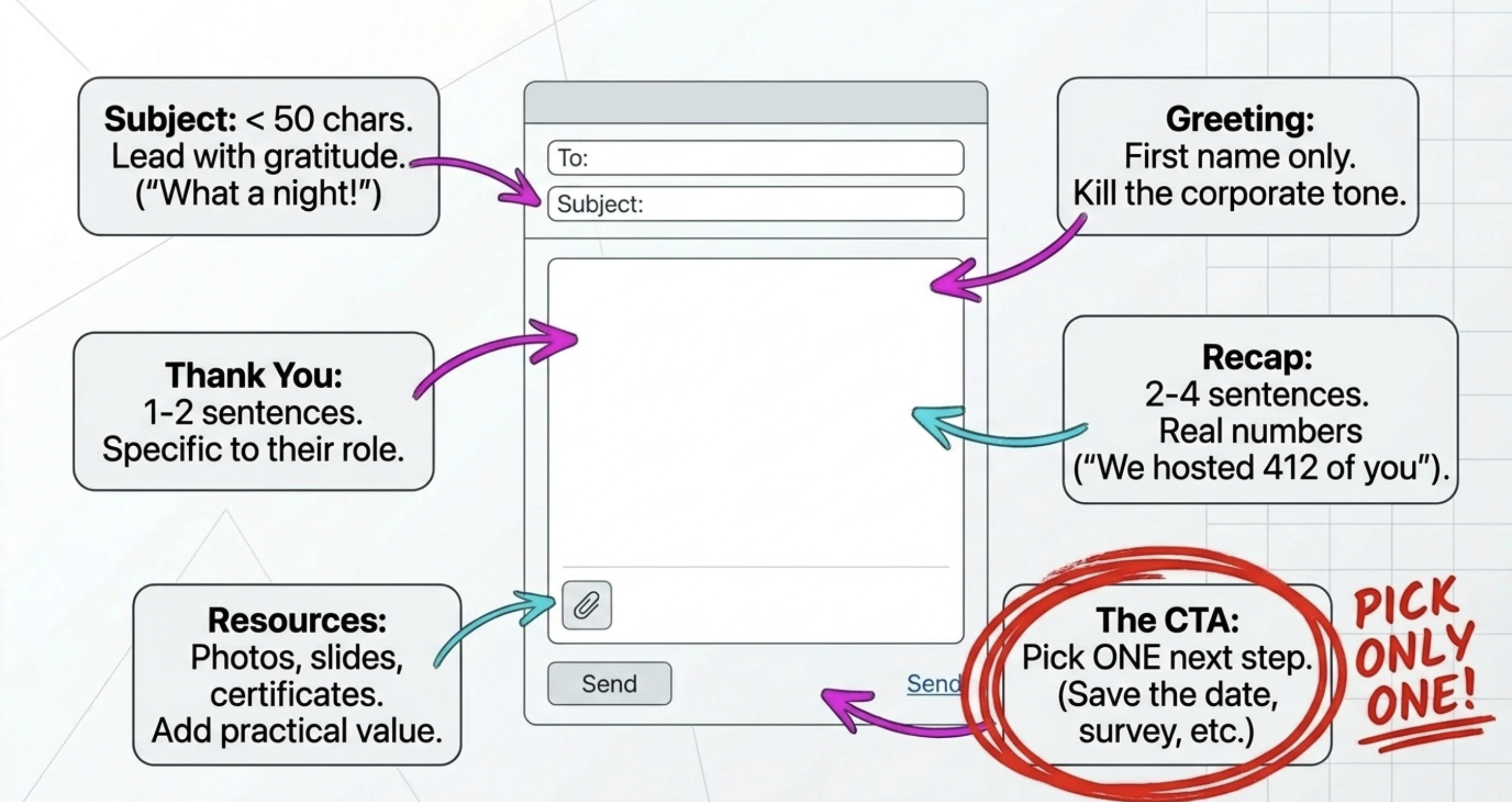
A thank-you email after a successful event should include six elements: a clear subject line, a personal greeting, a sincere thank-you, a specific recap, useful resources, and one clear call to action.
Here's the structure that works across audiences.
1. Subject line
Keep it under 50 characters. Always lead with gratitude or a specific reference. For example:
"Thank you for joining us at [Event Name]."
"What a night! Thank you for being there."
"Recap, photos, and a thank you from [Organization]."
2. Personal greeting
Address the recipient by first name. "Hi [First Name]," works. Avoid "Dear valued attendee", it kills the warmth instantly.
3. A sincere thank-you (1 to 2 sentences)
Get to the point. Thank them for the specific thing they did: showed up, presented, sponsored, volunteered.
4. Event recap (2 to 4 sentences)
Reference a specific moment or stat. "We hosted 412 attendees across two days," or "Your panel on AI ethics drew the largest crowd of the conference." Real numbers beat generic praise every time.
5. Useful resources
Photos, recording links, slide decks, certificates of attendance, or sponsor reports. This adds practical value to the thank-you and gives recipients something to share.
A thank you email that tries to sell three things at once stops being a thank you.
What are the best templates for a thank you email after an event?
The best thank you email templates are short, personal, and tailored to the recipient. Below are four templates for the four main audiences: attendees, sponsors, speakers, and volunteers, that you can adapt in minutes.
Template 1: For attendees
Subject: Thank you for joining us at [Event Name]
Hi [First Name],
Thank you for joining us at [Event Name] on [Date]. With over [X] attendees in the room, the energy was unmatched — and your presence was a big part of why.
A few resources from the event:
Photo album: [link]
Session recordings: [link]
Slide decks: [link]
If you have two minutes, we’d love your feedback: [Survey Link]
Save the date — [Next Event Name and event page] is happening on [Date]. We hope to see you there.
Subject: Sponsor recap: [Event Name] performance and next steps
Hi [First Name],
Thank you for sponsoring [Event Name]. The event drew [X] attendees, and your brand was front and center across [signage / app / stage / lanyards].
A few quick numbers from your sponsorship:
Total impressions: [X]
Booth visits: [X]
Leads collected: [X]
A full sponsor report is attached. I’d love to set up a 20-minute call next week to walk through the results and discuss [Next Event].
Grateful for the partnership,
[Your Name]
Template 3: For speakers
Subject: Thank you for sharing the stage at [Event Name]
Hi [First Name],
Thank you for speaking at [Event Name]. Your session on [Topic] had the highest engagement of the day — the Q&A ran 15 minutes over because no one wanted to leave.
Attached are the audience demographics and the recording of your session. Feel free to share both.
If you’d be open to it, we’d love to invite you back for [Next Event] on [Date].
With appreciation,
[Your Name]
Template 4: For volunteers
Subject: We couldn’t have done it without you
Hi [First Name],
Thank you for volunteering at [Event Name]. From check-in to teardown, you kept the event running, and the team noticed.
A few photos from the day are attached. If you’d like a volunteer reference letter for school or work applications, just reply, and I’ll send one over within 48 hours.
Looking forward to having you back at [Next Event],
[Your Name]
Use Ticket Generator’s Campaigns feature to send these thank-you emails to your full attendee list, using ready-made templates or your own custom message. You can choose from pre-built templates like:
Promotional emails
Reminder emails
Notification emails
Feedback emails
You can fully edit these, so your thank-you email still feels personal, not generic.
Set Up Event Ticketing and Distribution in Minutes!
First 10 tickets free | Free account | No credit card required
How can you measure if your thank you email worked?
You can measure if your thank you email worked by tracking four signals: open rate, reply rate, survey completion rate, and repeat registration for your next event.
Set a baseline before you send:
Open rate: Post-event emails typically outperform standard marketing emails because the relationship is fresh. Aim for 40% or higher for a first event, 50% or higher once you have a returning audience.
Reply rate: A 2% to 5% reply rate on a thank-you email is excellent. Replies are a direct sign that the relationship is forming.
Survey completion: If your thank-you email includes a feedback link, a 15% to 25% completion rate is strong.
Repeat registration: The most important number. What share of thank-you email recipients sign up for your next event registration?
Did You Know? The global online event ticketing market is projected to reach $102.79 billion by 2030
(source:
Mordor Intelligence (2025)).
The events winning that market are the ones treating each event as the start of a relationship, not the end of a transaction. Your thank you email is the first hinge.
How does Ticket Generator help you send thank you emails after a successful event?
Ticket Generator helps you send post-event thank you emails directly from your dashboard. You can do so using its built-in Campaigns feature, and you don’t need separate email tools or manual exports. For more advanced automation or personalization, you can also connect it with Zapier using Ticket Generator’s Zapier integration.
You can send thank-you emails directly from your dashboard. With the Campaigns feature, you can create and send emails in a few steps:
Name your campaign
Choose your channel (Email or WhatsApp)
Select your event and import your attendee list instantly
Pick a template or write your own message
Send to your full list
Pre-built templates: You can fully edit these, so your thank-you email still feels personal, not generic.
Real attendance data, not estimates. The Ticket Validator app records exactly who scanned in and when. Your thank you email can reference real numbers, “412 of you joined us on Saturday” instead of generic praise.
You can also import attendees directly from your past events, no CSV uploads required. Or you can create your own subscriber list by:
Uploading a CSV
Adding contacts manually
Reusing past event lists
Plus, you get segmentation that matters. You can filter your contact list by ticket category (VIP, General, Speakers, Sponsors) and send a different thank-you message to each.
The VIP message can reference the green room; the speaker message can reference their session stats.
With TicketGenerator, you get flexible email controls. You stay in control of how emails are sent:
Edit sender name
Set reply-to email (or turn it off)
Customize subject line
Personalize the entire content
Credit-based sending (simple and scalable): Campaigns run on credits, where 1 credit = up to 10 emails. For example, if you want to send a promotional email to 1,000 attendees, you will need 100 credits
This makes it easy to scale without worrying about per-email costs.
Use Zapier for advanced automation: If you want deeper automation, you can connect Ticket Generator with Zapier. For example:
Set the Trigger to: Event Ends
Set the Action to: Send personalized emails via Gmail or sync data to HubSpot
This is useful when you want multi-step workflows or CRM-based automated follow-up.
Recurring events made easy. You can simply clone the event, reuse the design, and send next year’s invite to the same list, turning a thank-you email into a campaign for repeat ticketing for events.
Heartland Emmys has used Ticket Generator for four consecutive years, generating over 3,433 tickets across 10+ events. That kind of repeat trust isn't built at the event; it's built in the days after.
In short, the same platform that gets attendees in the door is the one that helps you keep them coming back.
Conclusion
A thank you email after a successful event is one of the cheapest, fastest, and most underused tools in event marketing. It costs you 30 minutes of writing time and earns you renewals, referrals, and goodwill that compound across years.
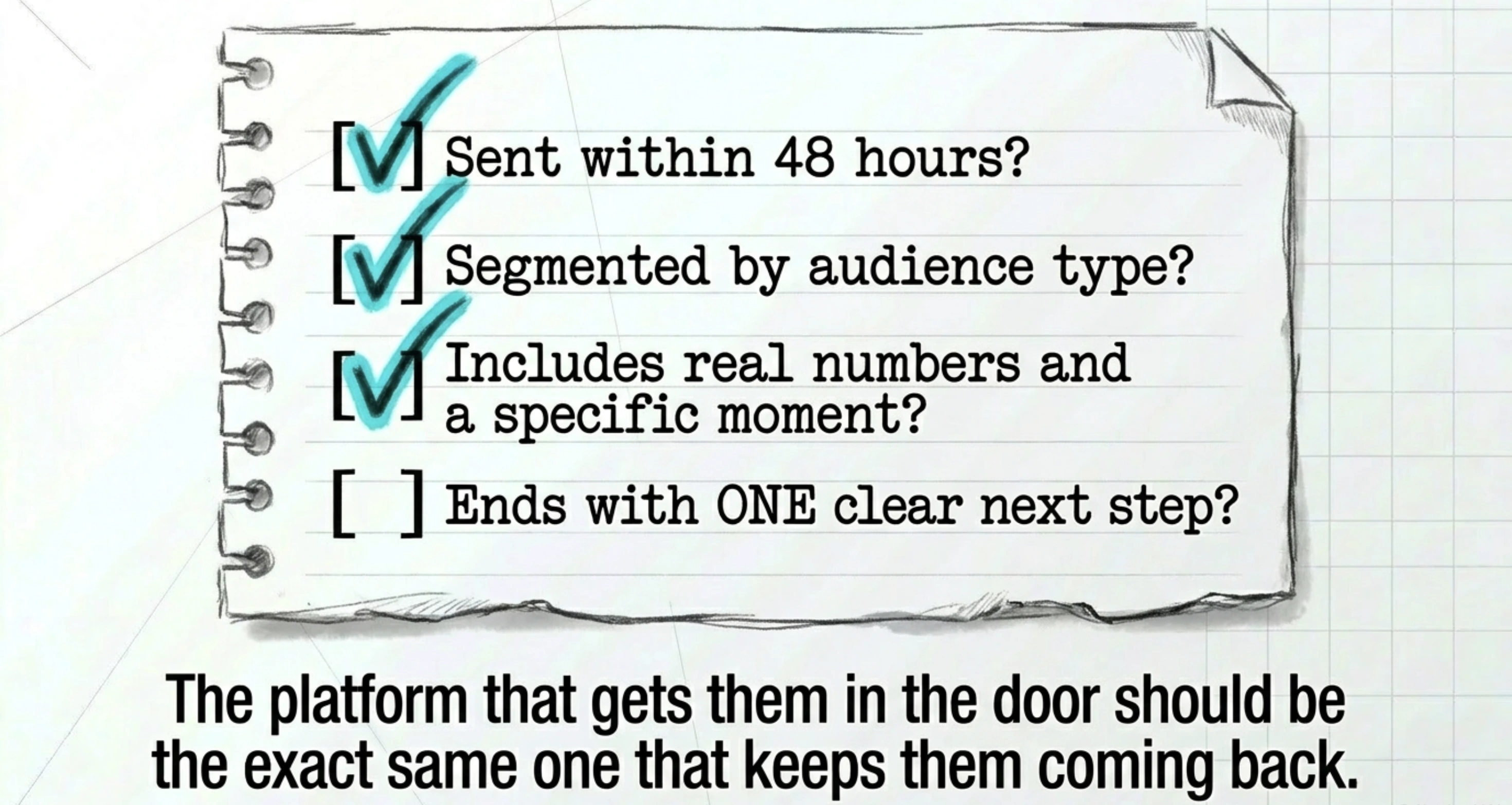
The key is to send within 48 hours, keep it personal, and end with one clear next step. Templates help, but they only work when you edit them with real names, real numbers, and a real moment from the event itself.
Most importantly, your thank you email shouldn't live alone, it should plug into the same registration and contact data that powered the event. That's where the right ticketing platform earns its keep.
Try Ticket Generator to manage registrations and send thank-you emails directly from your dashboard using Campaigns or automate follow-ups with Zapier. Your event. Your data. Your communication all in one place.
Set Up Event Ticketing and Distribution in Minutes!
First 10 tickets free | Free account | No credit card required
A thank you email should be 100 to 200 words. Long enough to thank, recap, and direct, short enough that the reader gets through it in 30 seconds. Anything longer starts to feel like a newsletter.
2. Should you send a thank you email to every attendee or just VIPs?
Send a thank you email to every attendee. The whole point is to make participation feel valued. Use segmentation to write a slightly different message for VIPs, sponsors, and speakers, but no one should be left off the list.
3. What's the best subject line for a thank you email after an event?
The best subject lines are under 50 characters and lead with gratitude or a specific reference. "Thank you for joining us at [Event Name]" works because it's clear, specific, and feels personal, not promotional.
4. Can you automate thank you emails after an event?
Yes. With an online ticketing system like Ticket Generator, you can send thank-you emails directly from the Campaigns feature. For more advanced automation, like triggering emails after check-in or syncing with a CRM, you can connect it with Zapier.
5. Is a thank you email different from a post-event follow-up?
A thank you email is a type of follow-up, but its job is gratitude first, action second. A general follow-up may push a sale, request a survey, or share content. A thank you email leads with appreciation, then includes one clear next step.
Ashish Chandra has spent 5+ years writing about event technology, covering topics such as ticket design, QR check-ins, attendee management, and event marketing strategy. As the Content Lead at Ticket Generator, Ashish has analyzed hundreds of real-world event workflows and ticketing setups, helping organizers across industries use QR-based tickets, event landing pages, and smarter ticketing systems to run smoother, better-attended events.
His writing is shaped by real user needs and the questions organizers ask most often: How do I sell more tickets? How do I avoid chaos at the door? How do I make my next event better than my last?
When he steps away from the screen, you'll likely find him hiking a quiet trail or tending his plants- his preferred way to reset.








.png)






.webp)

.svg)
.svg)
